Working remotely, Barcelona Spain based
{{ clock }} {{ gmt }}{{ temp }}
© 2026 Diego Limonchy
EST. 1988
This name sounds. Literally. →
Use Keyboard D G O P H

Design leader. Still a maker.

I design products, lead designers and help teams figure out what to build, how to build it, and how to get better at building together.

Currently working as Product Design Manager, leading a team of 6 senior designers at MAU↗MAUMAUmau.io · subscription apps, the B2C division of Leadtech Group↗Leadtech GroupLeadtech Groupleadtech.com · digital products

10+ years in product design · Stayed close to the craft · Built and grew design teams · Changed how teams work · 20+ digital products designed and shipped

EXPERIENCE
{{ job.period }}
{{ job.role }} — {{ job.company }}
{{ job.note }}
STACK
Figma Figma
Notion Notion
Claude Claude
ChatGPT ChatGPT
GitHub GitHub
Jira Jira
Confluence Confluence
Airtable Airtable
Amplitude Amplitude
Mobbin Mobbin
A LITTLE MORE ABOUT ME
My Family
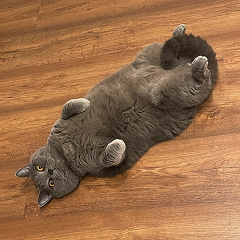
The house owner… I mean, our cat

I was born in Venezuela and moved to Barcelona, Spain more than 12 years ago. I started in advertising agencies, creating visuals, graphics, and animations for campaigns. I also studied advertising creativity and conceptualization, which shaped the way I think through ideas, always looking past the obvious.

In recent years, I've been focused on learning more about product metrics, going deeper into the numbers behind the decisions I make as a designer. More recently, I've turned my attention to AI and code, trying to understand not just how to use these tools, but how they're changing the way we design and build products.

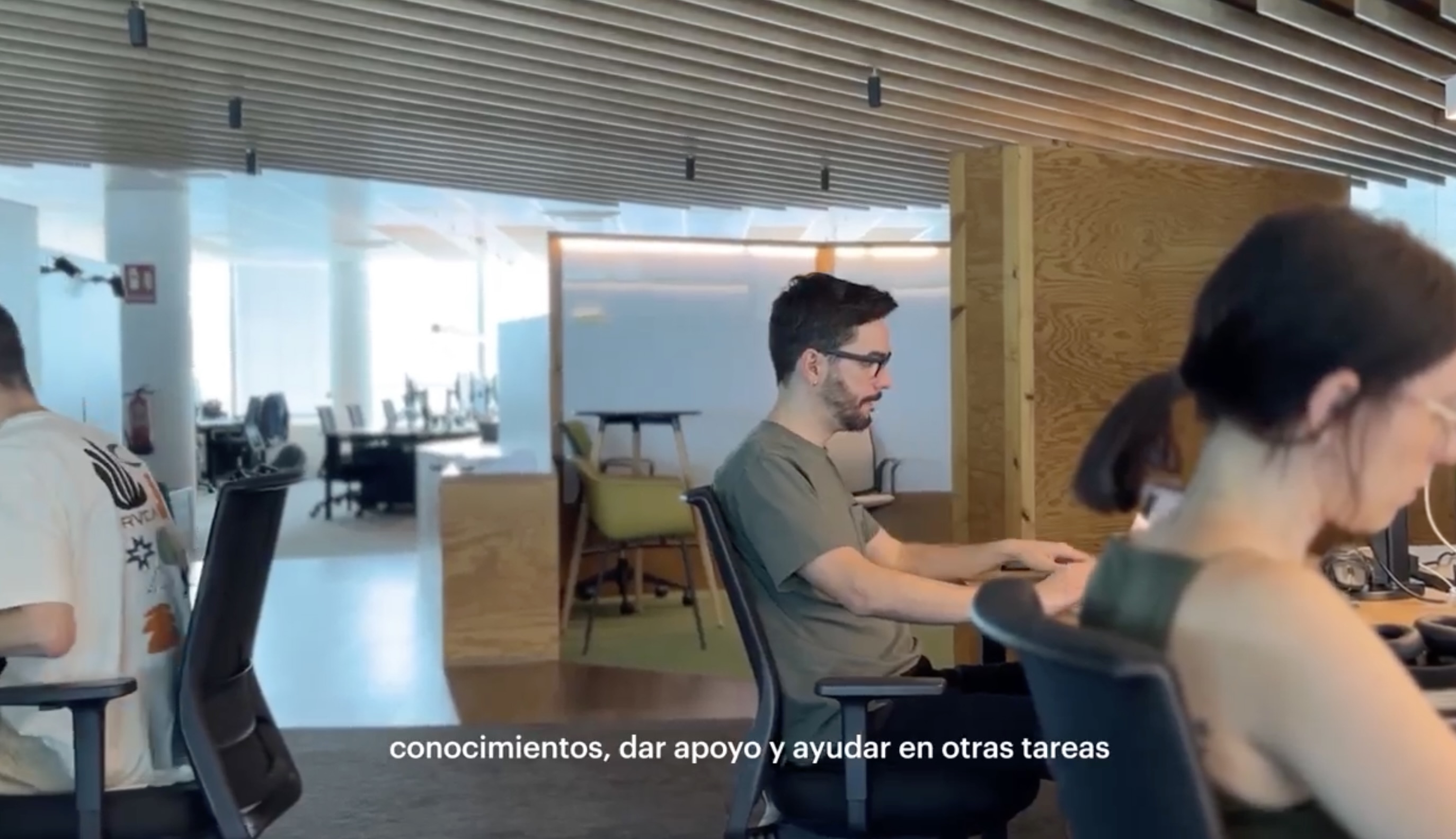
Below is a short video we made a while back at Leadtech. Fair warning: it's in Spanish, so apologies to the English speakers :/

Some music records I keep coming back to. My picks, no particular ranking.
Marilyn Manson — Mechanical Animals
A Perfect Circle — Mer de Noms
Caligula's Horse — In Contact
Chevelle — Wonder What's Next
Korn — Korn
Linkin Park — Hybrid Theory
Metallica — Black Album
Sade — Lovers Rock
Sleep Token — This Place Will Become Your Tomb
Tool — 10,000 Days
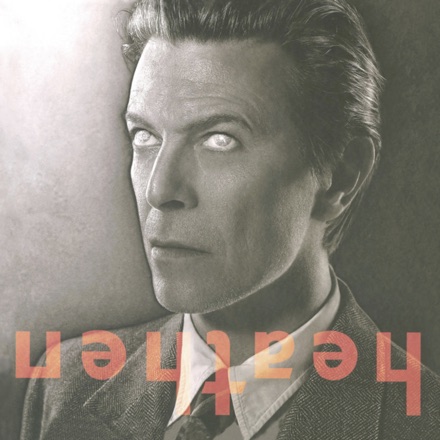
David Bowie — Heathen
Deftones — White Pony
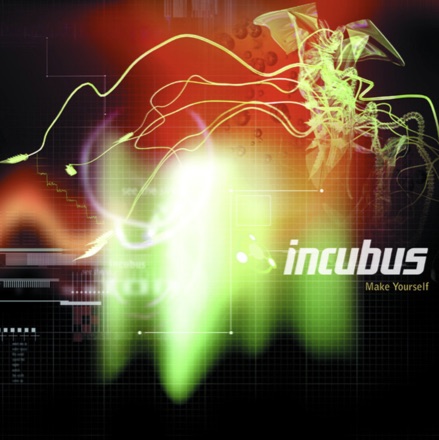
Incubus — Make Yourself
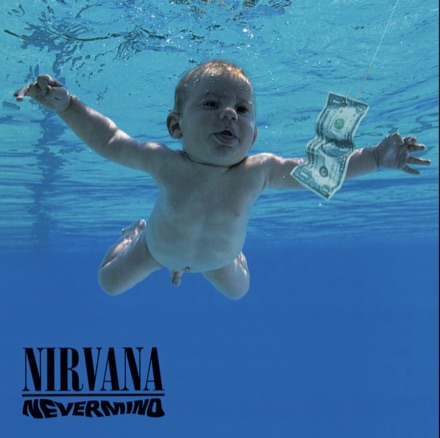
Nirvana — Nevermind
Marcy Playground — Marcy Playground
{{ activeAlbum }}
{{ activeArtist }}
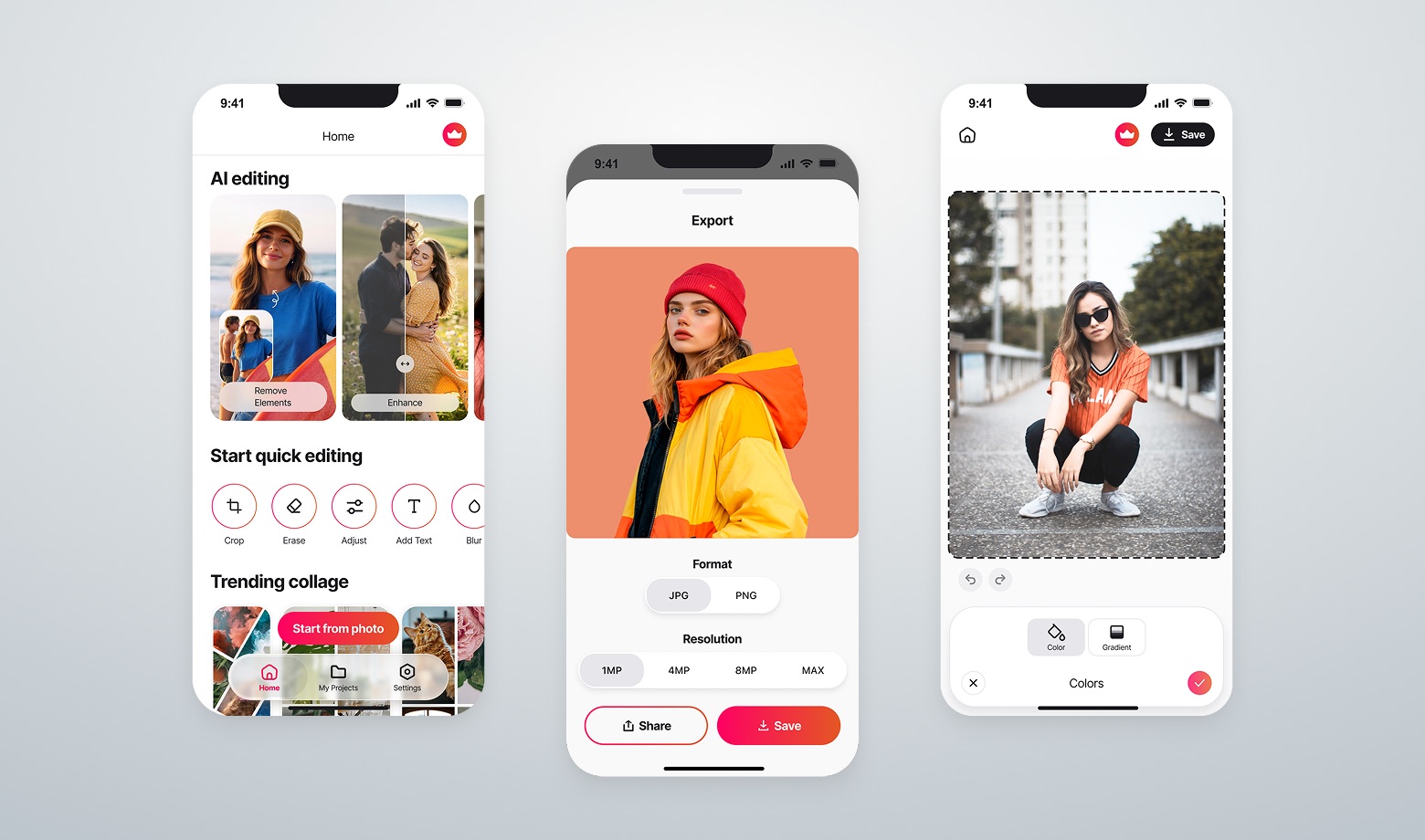
AI photo editing app screens2025 · Redesign for an iOS mobile app image editorSee preview
2026 · Prototype for A/B test main screen translation appSee preview
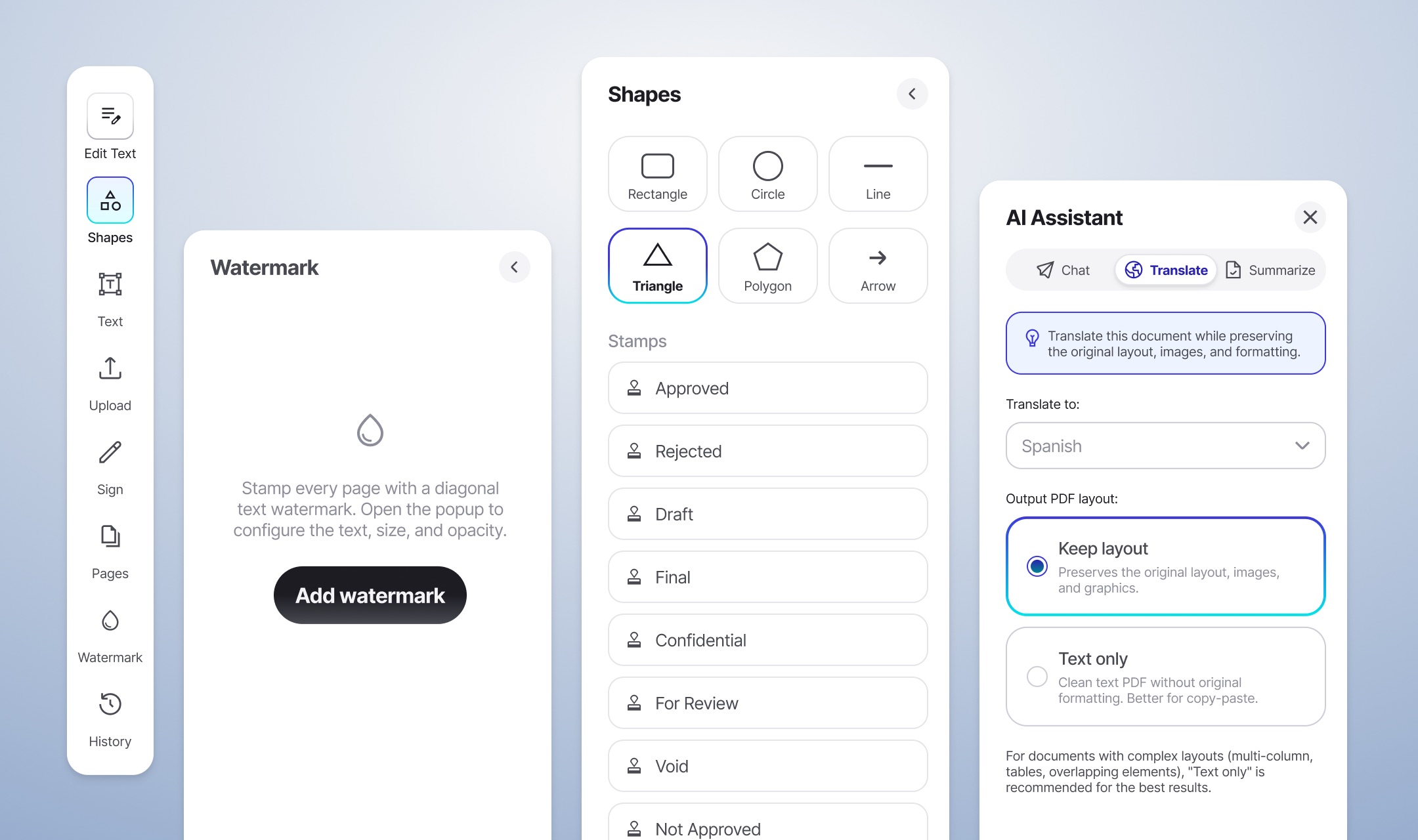
Shapes, watermark & AI assistant panels2026 · Components set for a documents editor website toolSee preview
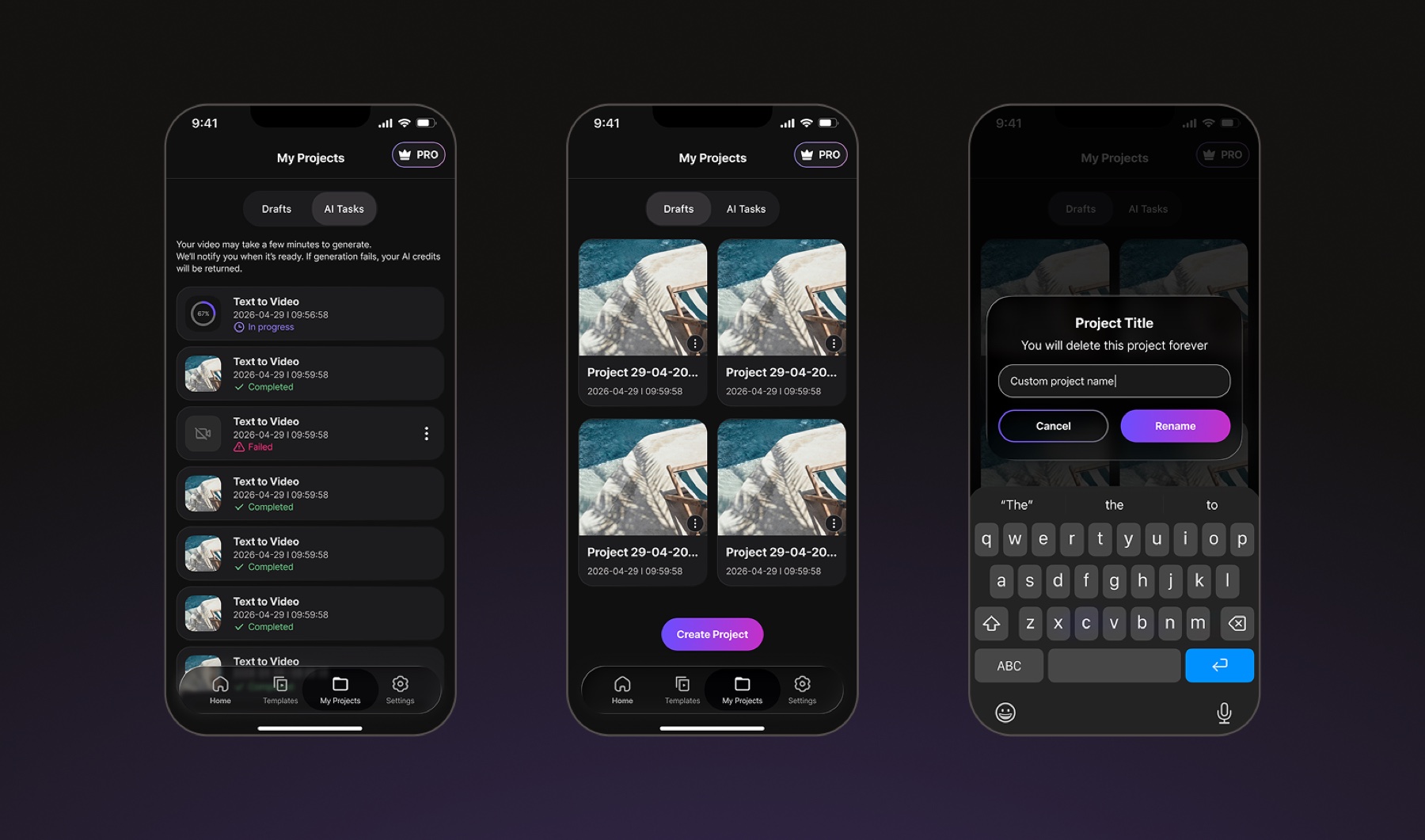
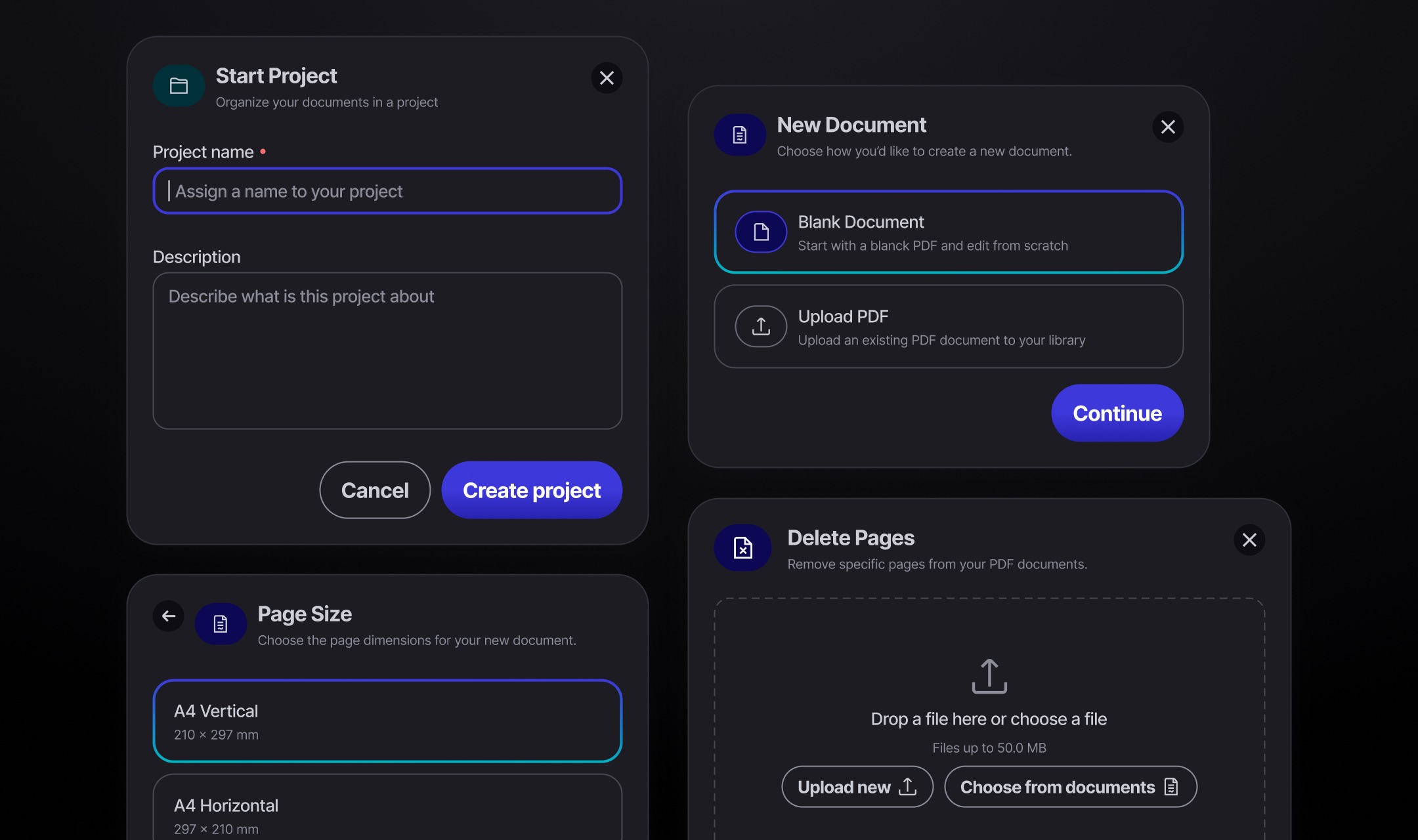
Project creation dialogs2026 · Dark mode components set for a documents editor website toolSee preview
2025 · Branding visual logo for tech companySee preview
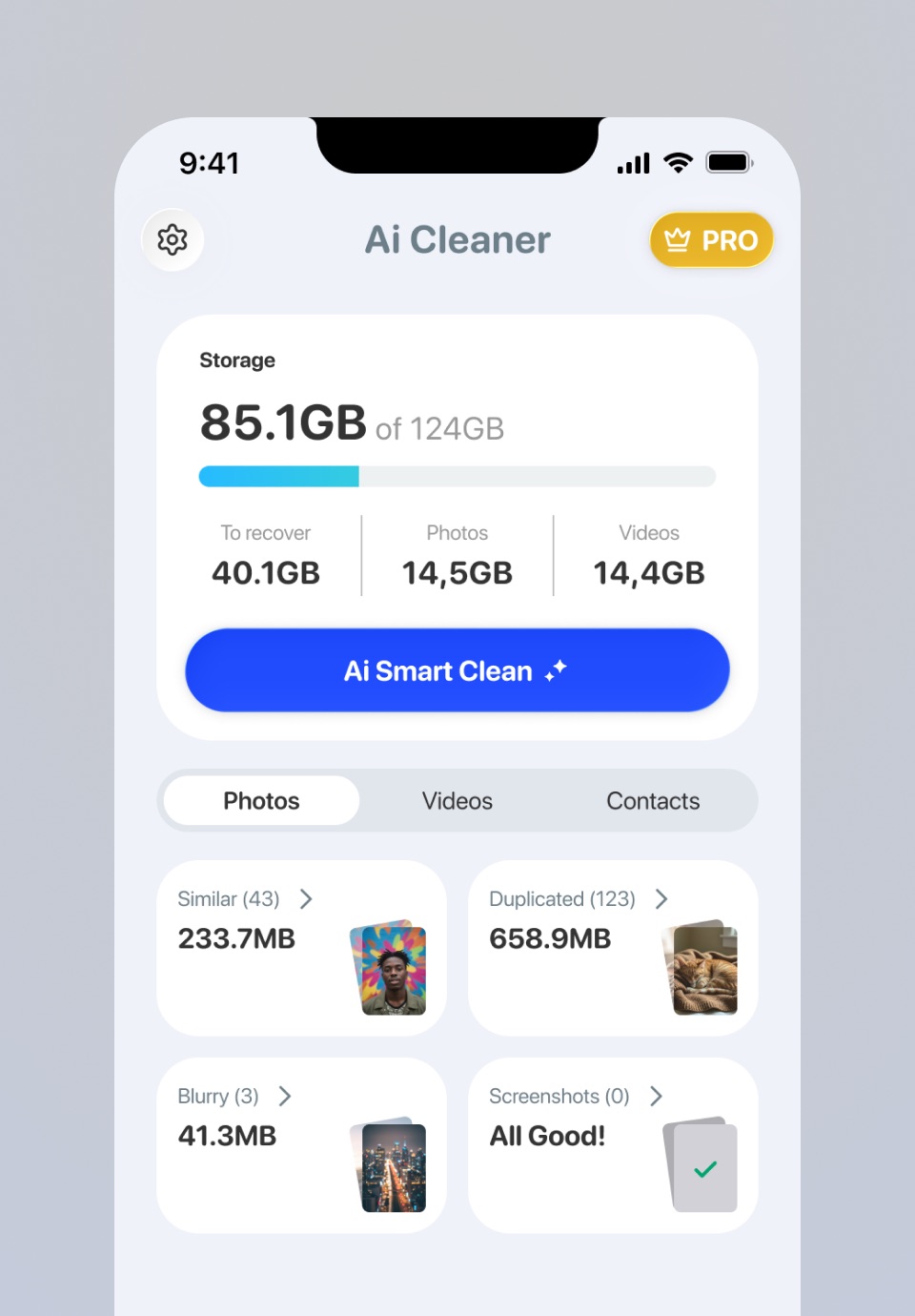
Ai Cleaner iPhone mockup2025 · iOS mobile app device cleanerSee preview
Product overview animation2019 · Clip from motion video for Inbenta companySee preview
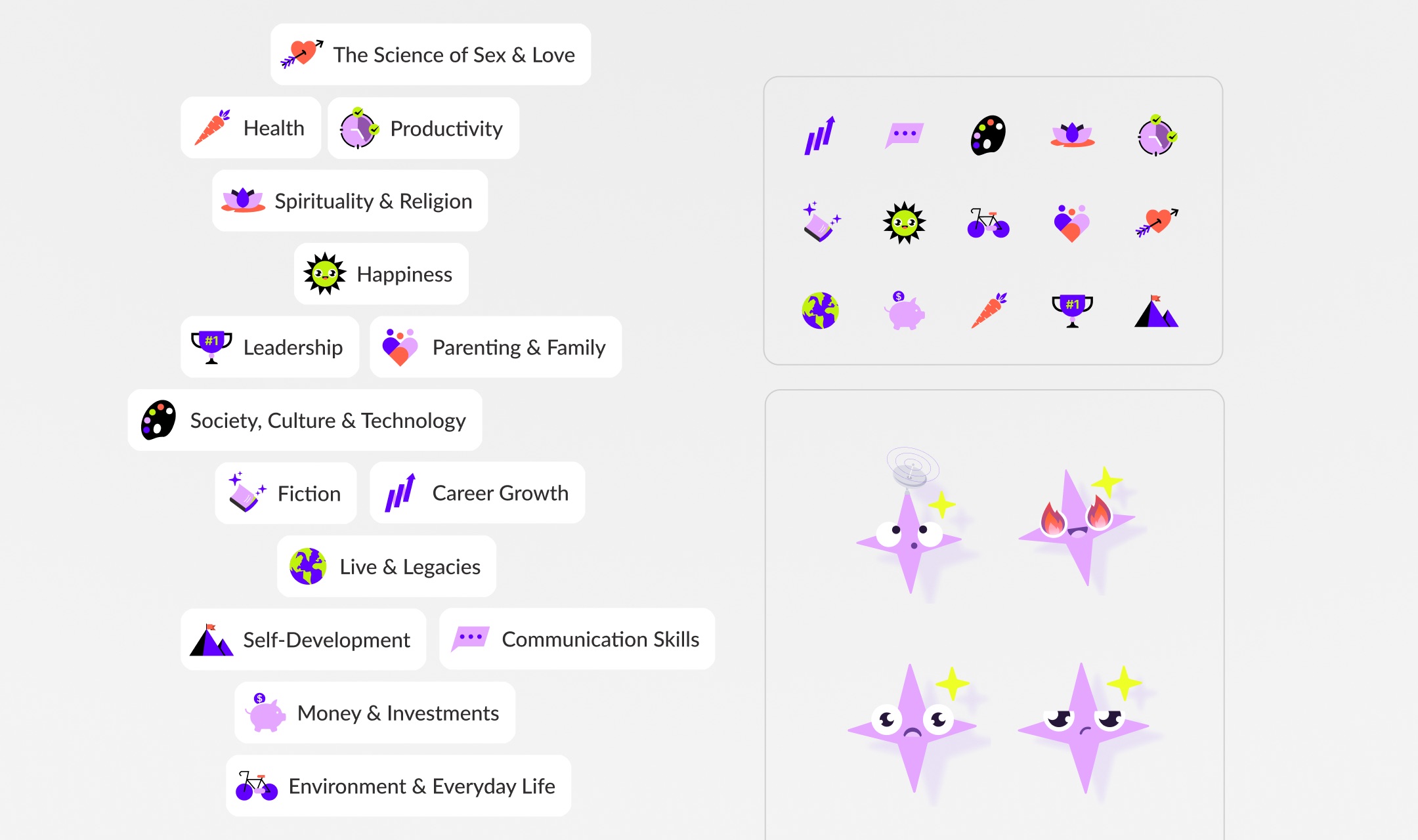
Topic categories and iconography2024 · Visual style exploration for a books reader mobile appSee preview
WORK · CASE STUDY · 6 MIN READ

Beyond video editing

I helped turn an iOS app video editor into a more guided, AI-powered creative tool by leading and working closely with the team.

ROLE
Lead product designer
MY CONTRIBUTION
  • Product strategy
  • UX/UI Design
  • Core flows
  • Design handoff
  • Design reviews
TEAM
  • CPO
  • Product Manager
  • Engineering Team
TIMELINE
6–8 Weeks

Overview

This iOS app was built around a traditional video editing experience, but over time it became clear that the app needed to be rethought.

After several conversations with the CPO about where the product needed to evolve, I was given the opportunity to lead the initiative. Together with the PM, we aligned on the direction and started shaping a new experience around the needs of our users.

App Store reviews, in-app user surveys and product data showed that many of them were amateur creators with little editing experience. Instead of simply offering more tools, we saw an opportunity to create a more guided, AI-driven experience that could help them go from an idea to a finished video.

Constraints & signals

The product had many features and capabilities, including AI tools that could generate videos and images. But the overall experience still expected users to know what they wanted to create and how to get there.

I kicked off the project by using AI tools to do competitors benchmark and dug deeper into Amplitude to figure out some of the app’s signals and issues at that time.

Product signals and issues from benchmarking and AmplitudeSee preview

Some constraints and trade-offs we ran into during the project:

There was not time to dive deep into UX research since the project had to be wrapped up quickly.
The app needed a total revamp, not just the home and AI parts, but we couldn’t do it all then; we had to focus on those two main areas first to validate that hypothesis.
At that time, we couldn’t change or try out new AI services and models for the app’s AI features.
Chapter 01

Making the home screen a better starting point

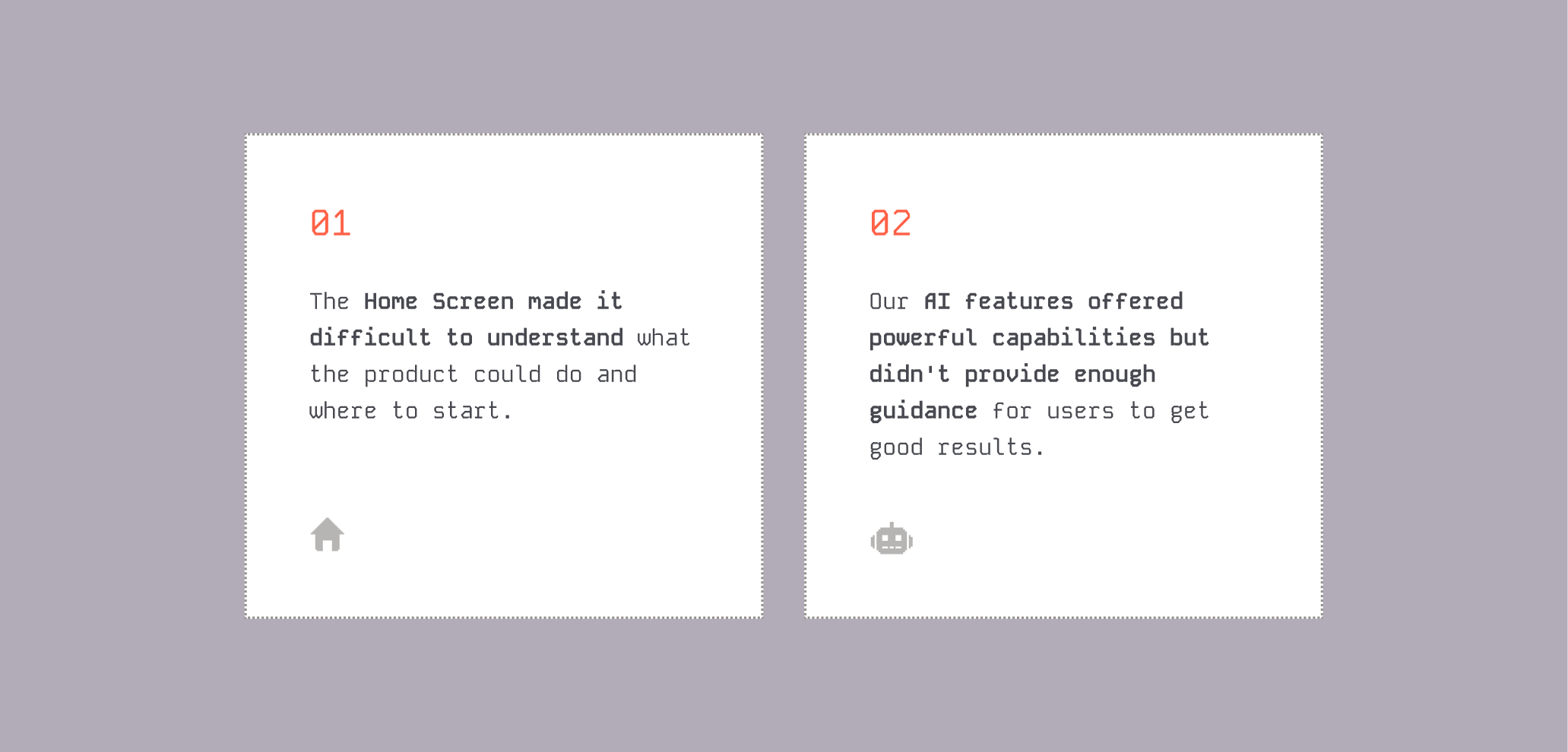
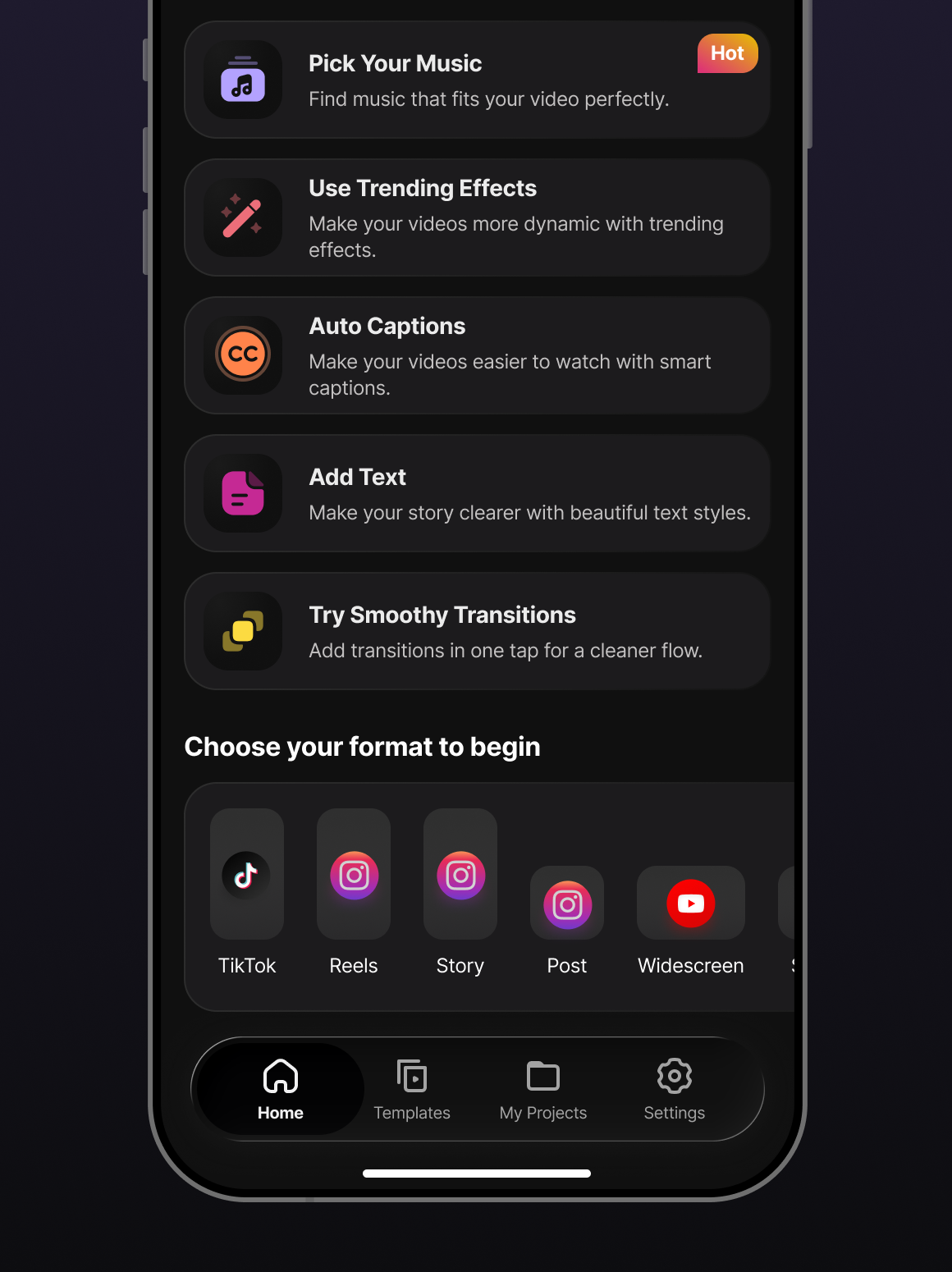
The Home Screen was one of the main entry points to the product, but it wasn’t doing a good job of helping users understand what they could actually do.

See preview

The home screen redesign focused on a few key changes:

Highlighting the app’s AI features.
Removing the Templates section due to poor performance.
Improving header with better video and visuals.
Simplifying and reorganising shortcuts and actions.
Improving screen hierarchy and readability.
Updating navigation with a newer native iOS tab bar.
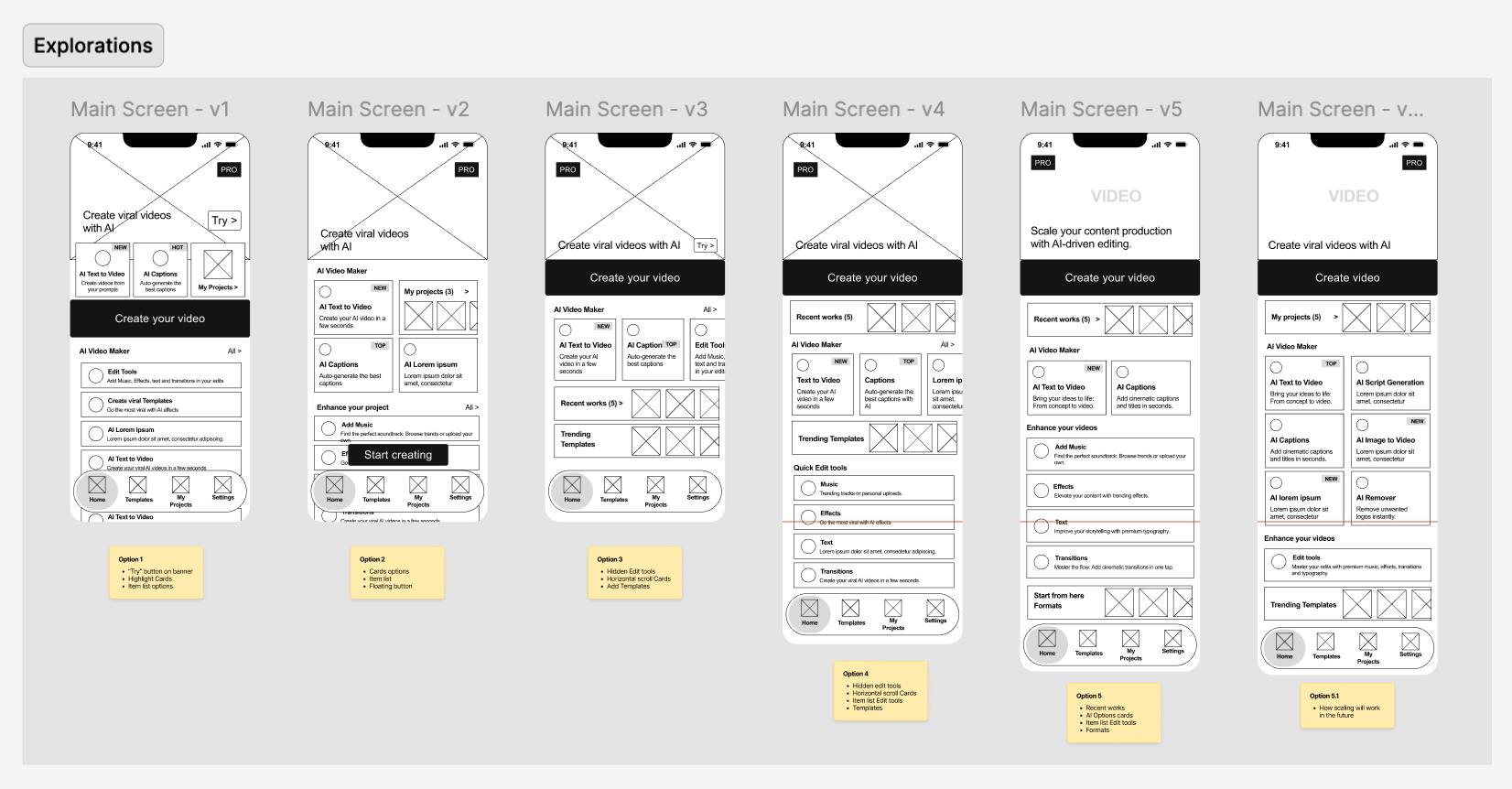
Design explorations

Setting up the updated home screen

It was clear we needed a different layout for the home page, so I used some AI tools to explore ideas in very low fidelity and pick the best one.

Low-fidelity home screen layout explorationsSee preview

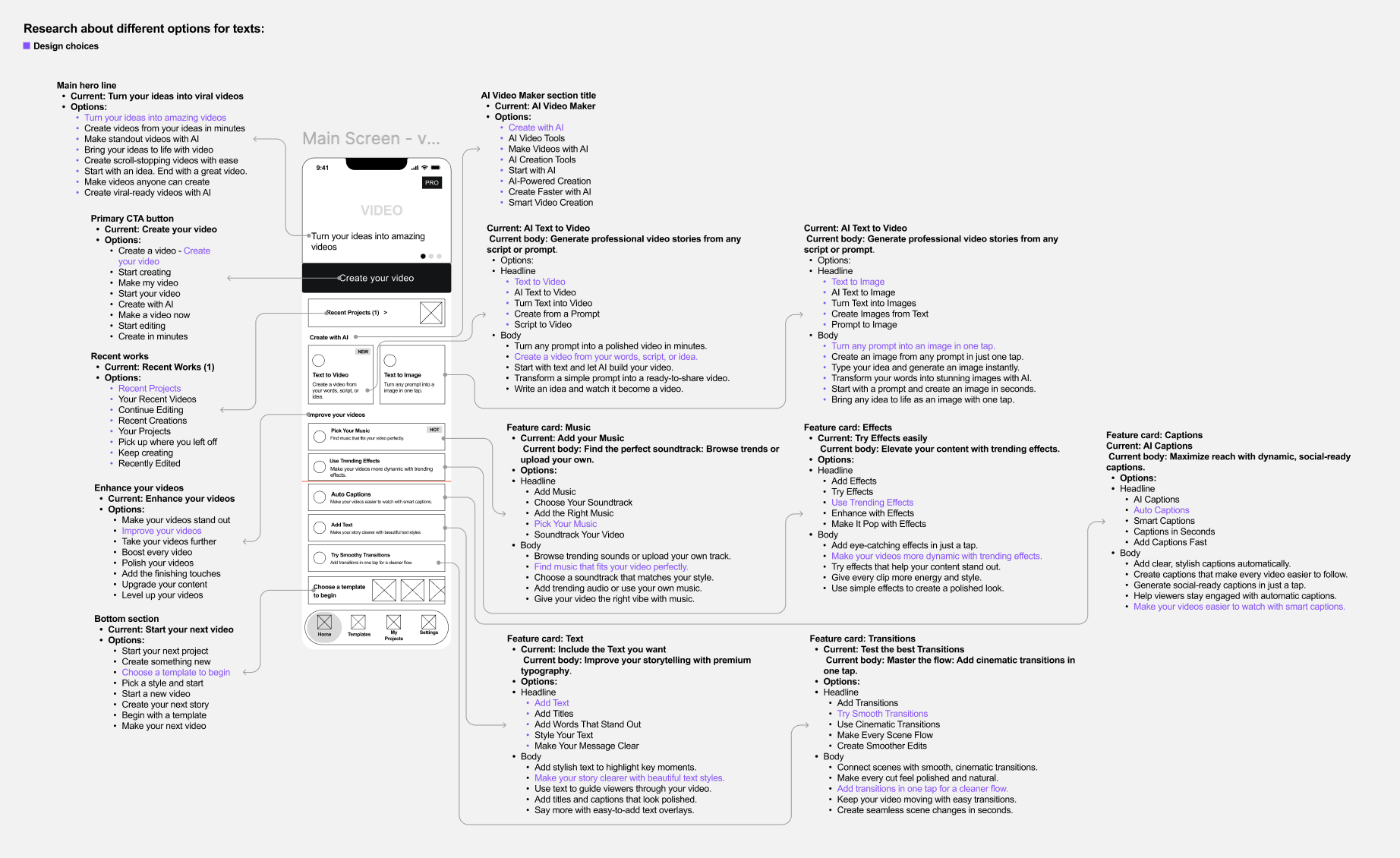
The screen’s text and calls to action were outdated and unclear, so I explored various options using an AI agent specialized for this purpose.

Home screen text and CTA explorationsSee preview

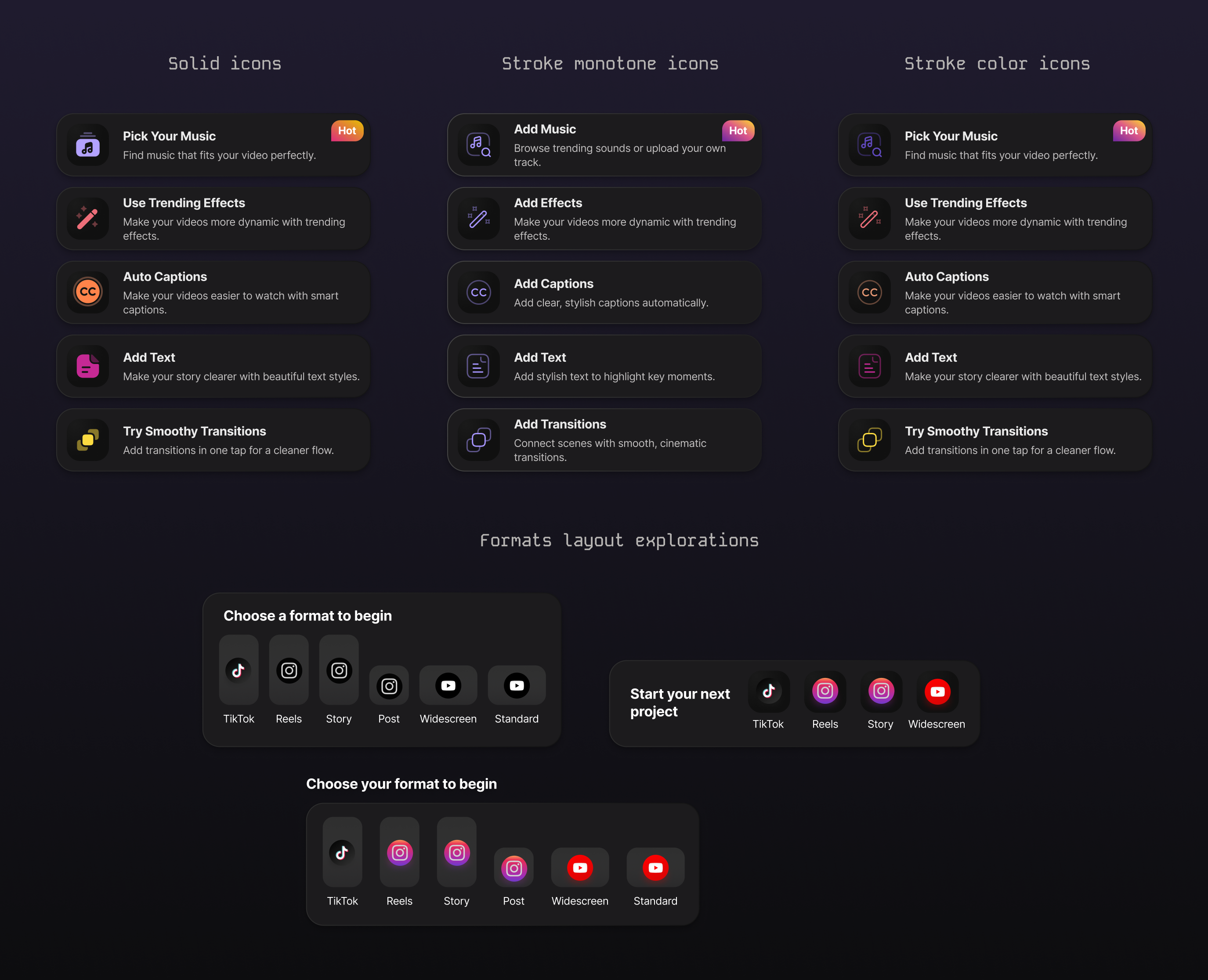
Components UI definition

Redesigned home screen component explorationsSee preview

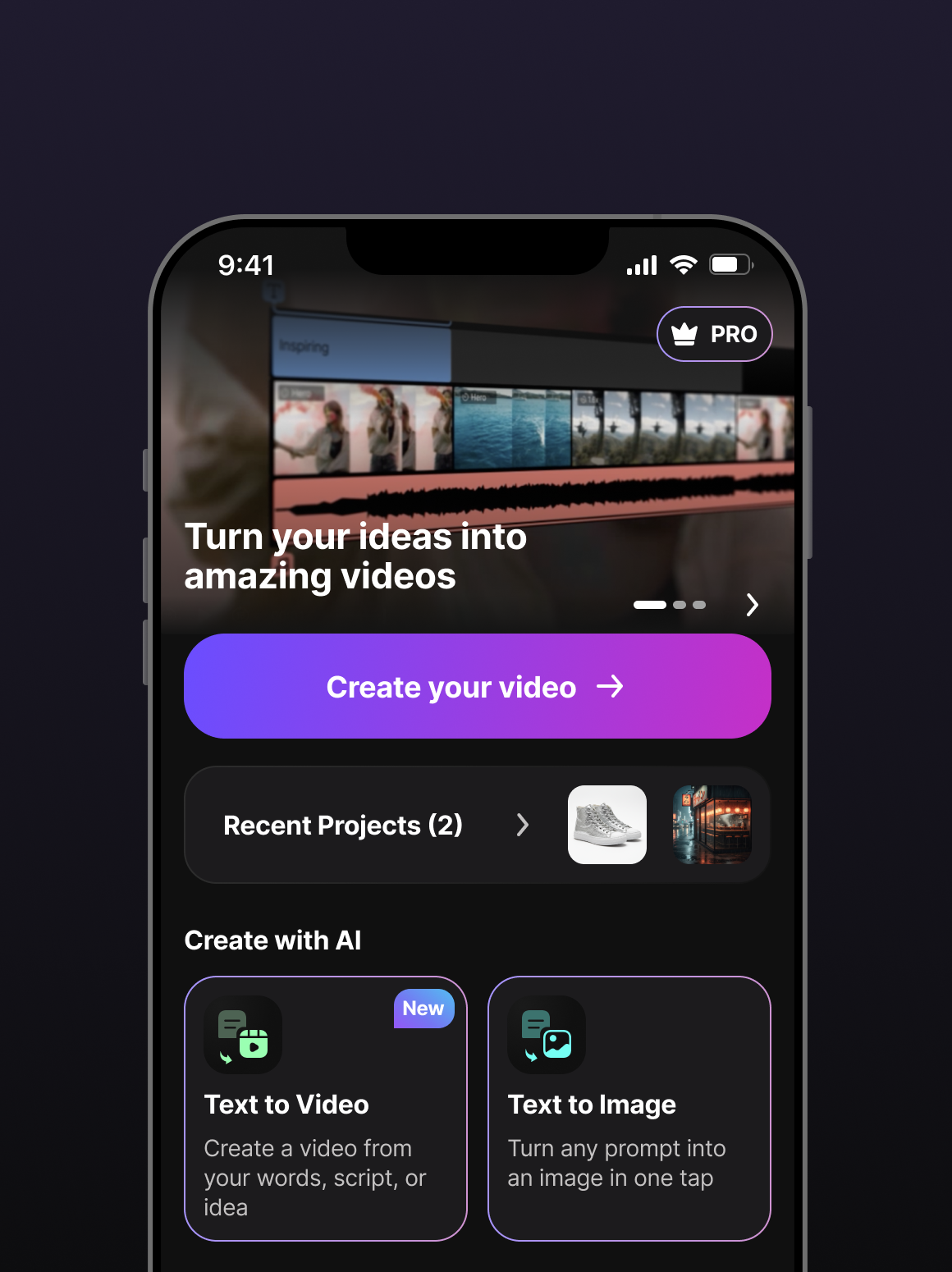
New home screen

See preview
Updated home screen — variation 1See preview Updated home screen — variation 2See preview

Did it improve feature discovery?

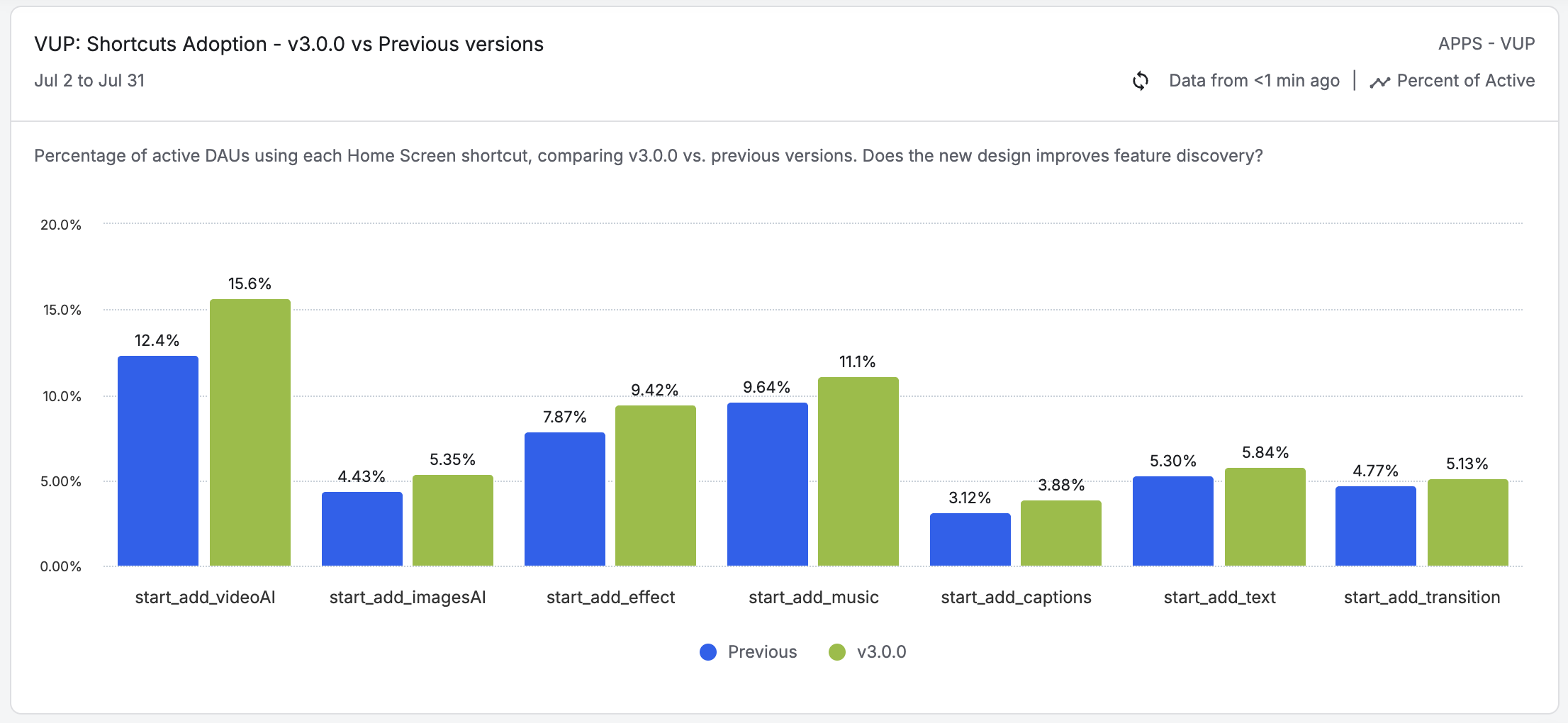
After launching the home redesign, we compared the adoption of the screen shortcuts against previous versions. The results showed a positive increase across every shortcut we measured.

Key results in D30:

Video AI shortcut: from 12.4% to 15.6%
Image AI shortcut: from 4.43% to 5.35%
Captions shortcut: from 3.12% to 3.88%
All measured shortcuts increased in adoption after redesign.
Shortcuts adoption resultsSee preview
Chapter 02

AI video and image creation easier to use

As part of the product’s evolution, we already had two AI features that allowed users to generate videos and images from a prompt.

The first version of Text-to-Video wasn’t really a guided flow. It was a single screen with different options to fill in before generating a video. Our hypothesis was that it wasn’t helping users to understand what was needed to get a good result.

The data confirmed that something wasn’t working. Premium users with access to the feature, only 1.4% completed a video generation within 30 days.

With a drop-off of more than 98%, it was clear that we needed to rethink the experience.

Old Text-to-Video screenSee preview

A shorter flow doesn’t always mean a simpler experience

Our initial goal wasn’t simply to remove options or make the feature more minimal.

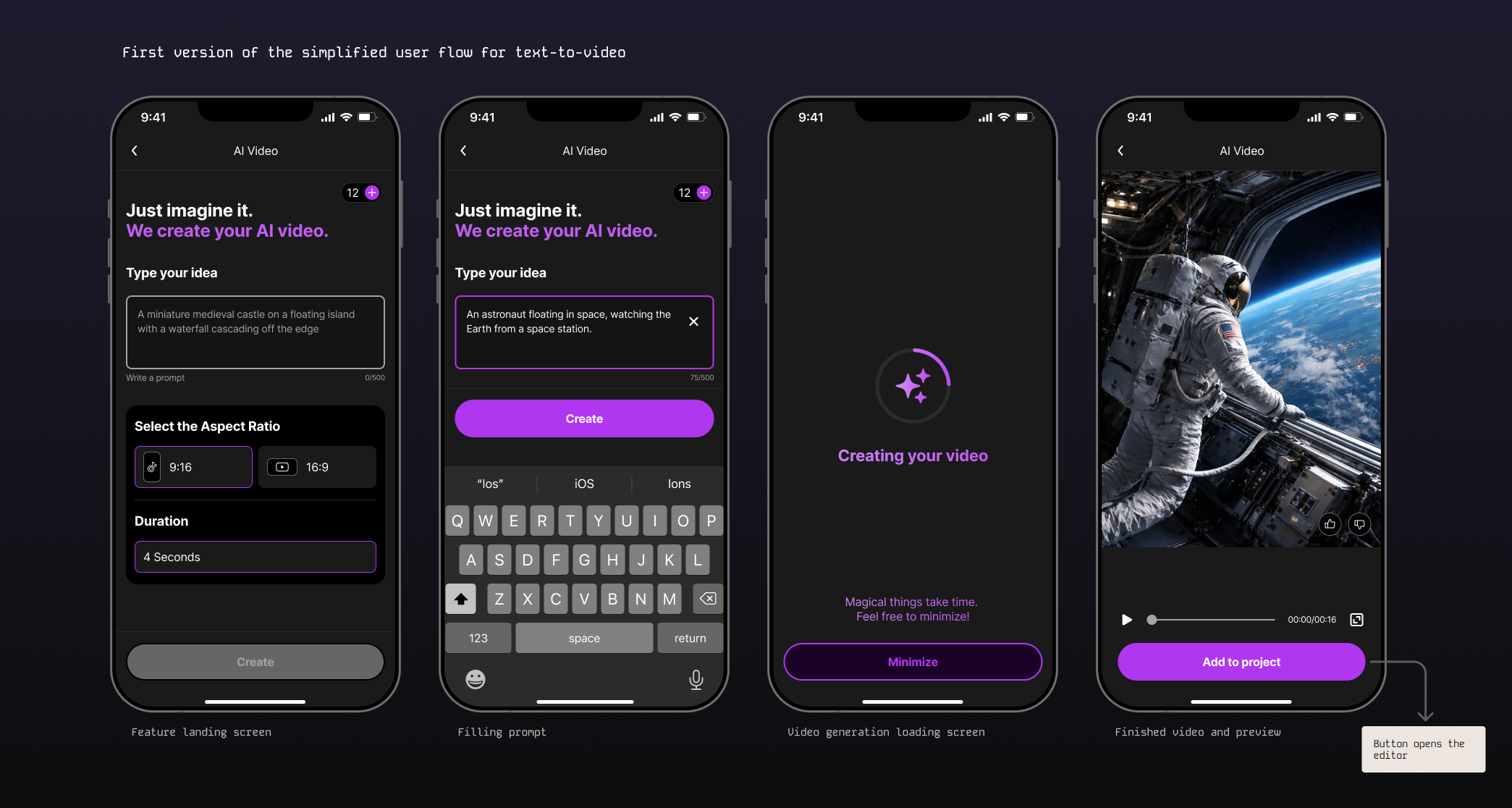
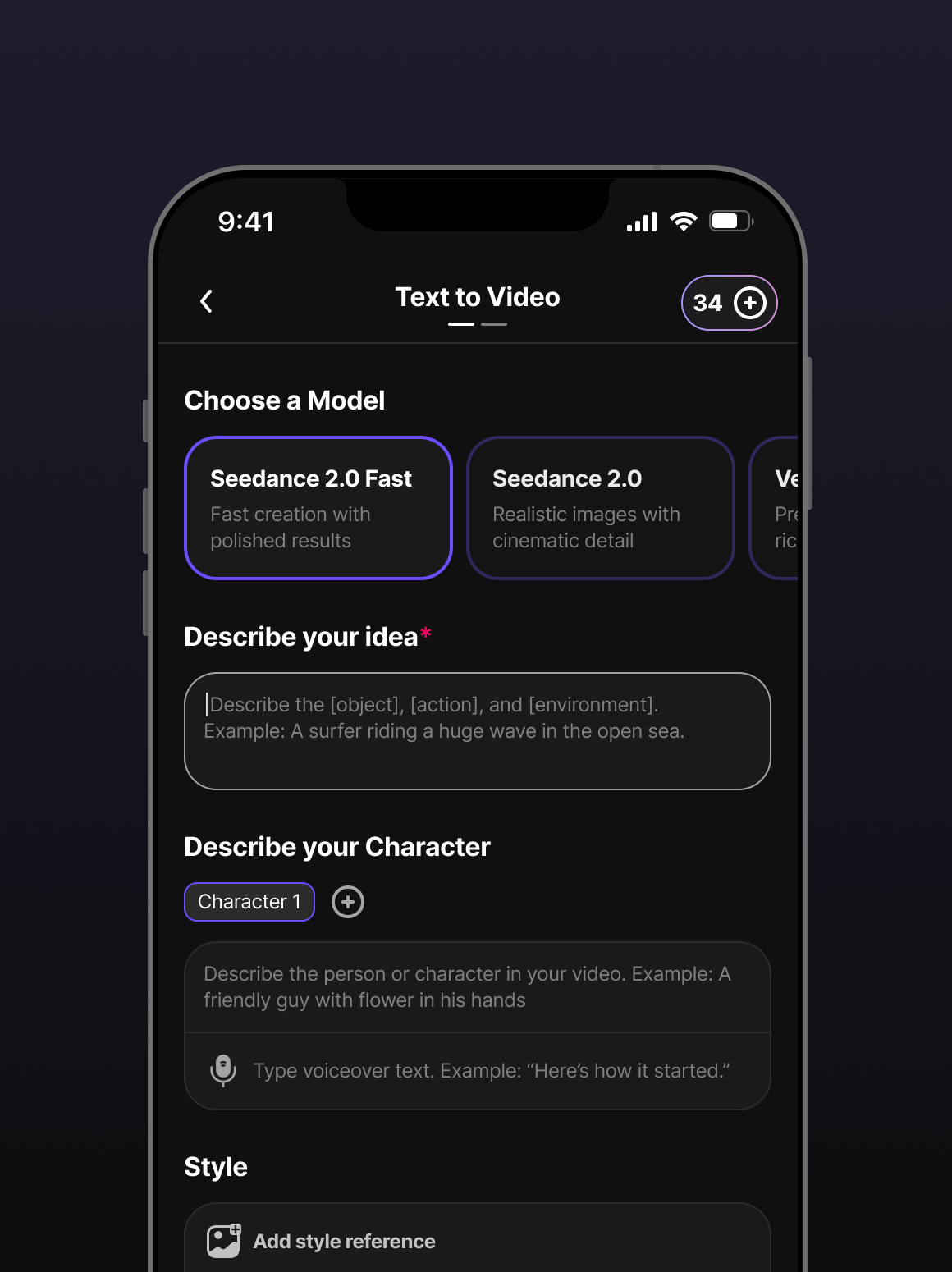
We redesigned the Text-to-Video flow into two focused steps, separating decisions instead of showing everything at once. This reduced the amount of information users had to process on each screen and created a clearer sense of progress.

At the same time, we added options that helped users shape their ideas and get better results, including:

  • The ability to create a Character for the video.
  • A selection of predefined video styles.
  • Additional creative options to help users better define what they wanted to generate.
Design explorations

Designing the enhanced UI and workflow

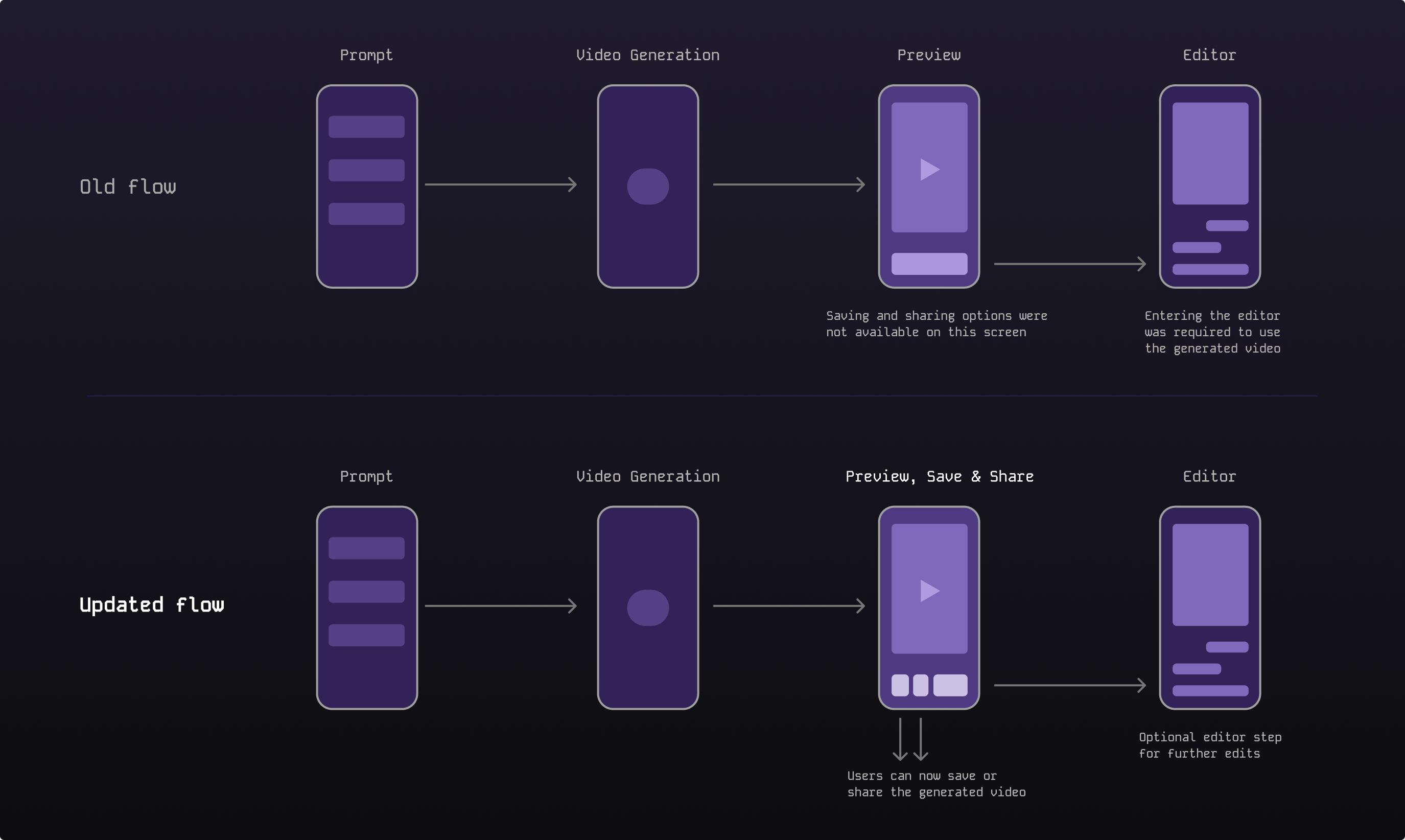
Previously, the experience pushed users directly into the editor. But we realised that this didn’t make sense for everyone.

Many users were using AI because they wanted help creating a video without having to edit it themselves. Forcing them into the editor added another step to a journey they might already consider complete.

Old flow vs updated flow diagramSee preview

UI definition

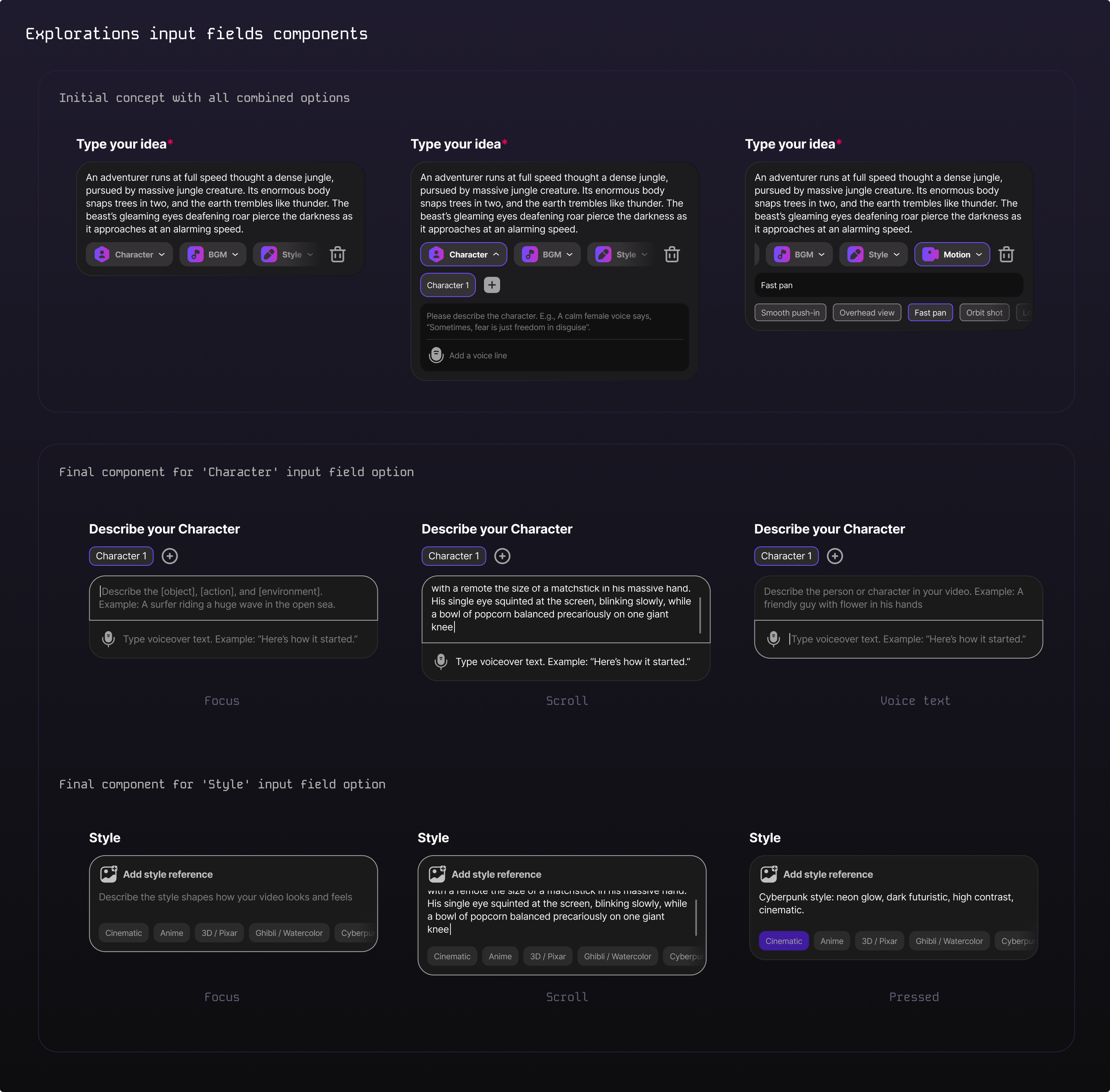
Text-to-Video UI definition explorationsSee preview
New Text-to-Video screen — variation 1See preview New Text-to-Video screen — variation 2See preview

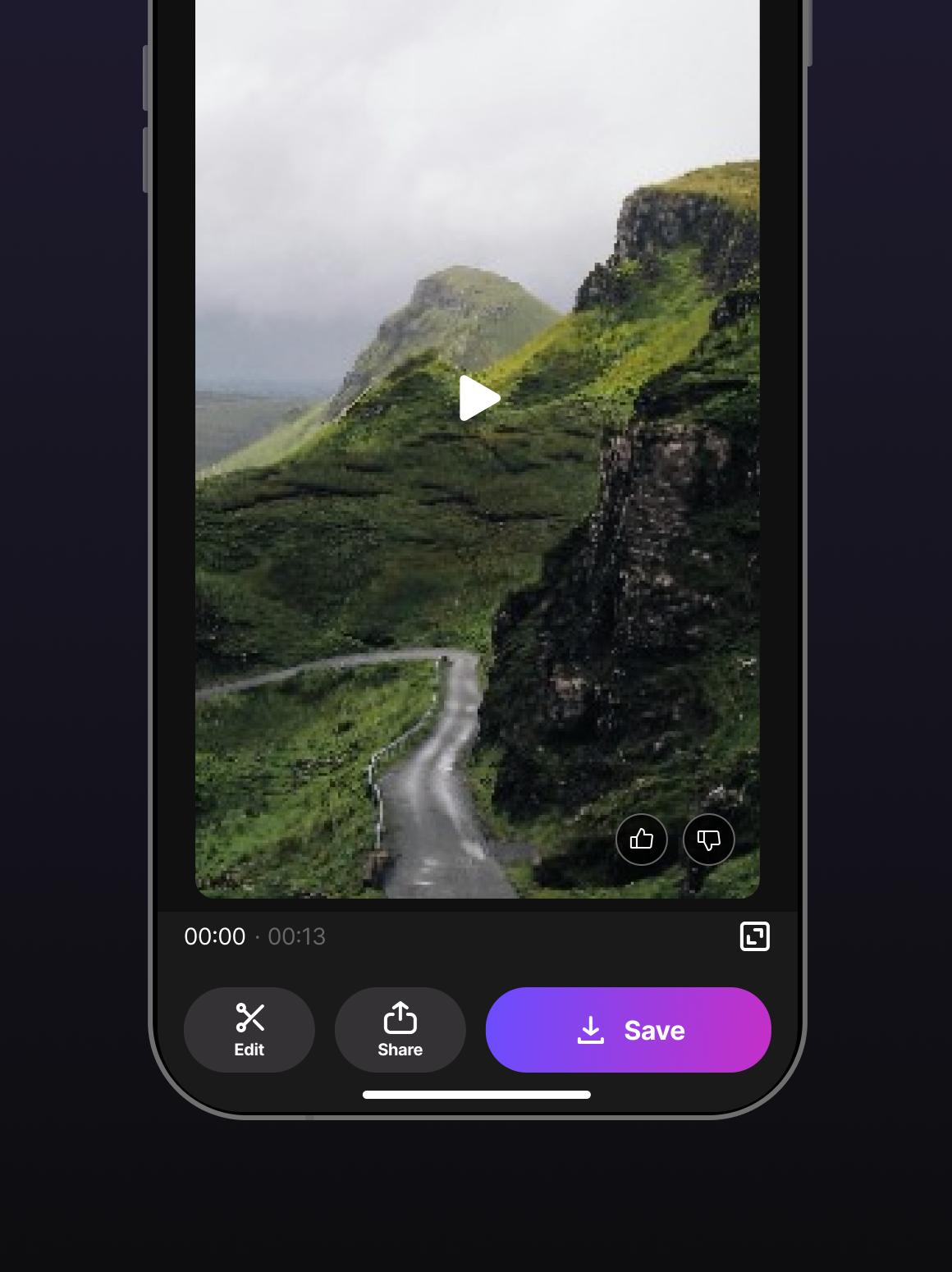
New Text-to-Video design and user flow

See preview

The result: less abandonment

After optimising the experience, we measured the same funnel again.

The drop-off decreased from 98% to 87% during D30.

While there was still room for improvement, this was a significant change in how users moved through the experience and gave us a clear signal that better guidance was helping users get further in the generation process.

The takeaway was clear: AI alone doesn’t make a complex task easier.

This wasn’t the end of the project

Redesigning the Home and the AI features was only part of the work. The experience of the whole app was bigger than these two areas, and there was still a lot to improve. One of the most important parts was the internal editor. We kept working on making it simpler and polishing the features inside it, so the core of the app felt as clear as the new entry points.

We also kept monitoring the metrics as days and weeks went by, especially the global Conversion Rate (CR) of the app, from active users to subscriptions, to see if there were any important changes. One good signal came from there: 2 weeks after launching the new experience, we saw a +1pp increase in CR.

This wasn’t an A/B test, so I can’t say the redesign alone caused it, as other improvements were also going live at the same time. But it was a positive sign that the new direction was moving the app in the right way. I can’t share the exact numbers for confidentiality reasons.

Conclusions

This project started with a simple observation: our product had powerful capabilities, but they weren’t designed around the needs of the people using them.

What I learned

The biggest lesson from this project was that making a product simpler isn’t always about adding fewer features or steps. For our users, simplicity often came from having more guidance, clearer choices and less to think about at once.

AI played an important role in this evolution, but AI alone wasn’t the solution. The value came from designing the experience around it and understanding when users needed support.

WORK · CASE STUDY · 7 MIN READ

Designing with AI, as a team

How AI could change the way the product design team works, while continuing to deliver product.

ROLE
Design Manager
MY CONTRIBUTION
  • AI workflow exploration
  • Structured context & Claude Skills
  • Team enablement guides
  • Cross-team alignment
TEAM
  • 6 Product Designers
  • Engineering
  • Product
TIMELINE
Late 2025 – Ongoing

Overview

We started exploring AI with a fairly simple goal: reduce the amount of manual work involved in producing UI and give designers more time to explore ideas, audit our products and find opportunities for improvement.

I initiated and led this exploration with our team of six product designers, most of them senior. But this wasn’t a dedicated innovation project. We still had products to ship, deadlines to meet and priorities that couldn’t be put on hold.

So the challenge was not only finding useful AI tools. It was finding the space to experiment, understanding what was actually valuable, helping the team feel comfortable with new ways of working and bringing engineering and other teams into the conversation.

We weren’t trying to find an AI tool. We were exploring how the role of the designer could evolve.

Experimenting before standardising

We started experimenting at the end of 2025, testing different tools and approaches, from AI design products to generative coding environments.

Some were promising. Others weren’t.

At one point, I collaborated directly with an AI design startup for two to three months. I hoped their product could help us reach the workflow we were looking for, but the output wasn’t good enough for our needs. I eventually decided to stop the collaboration.

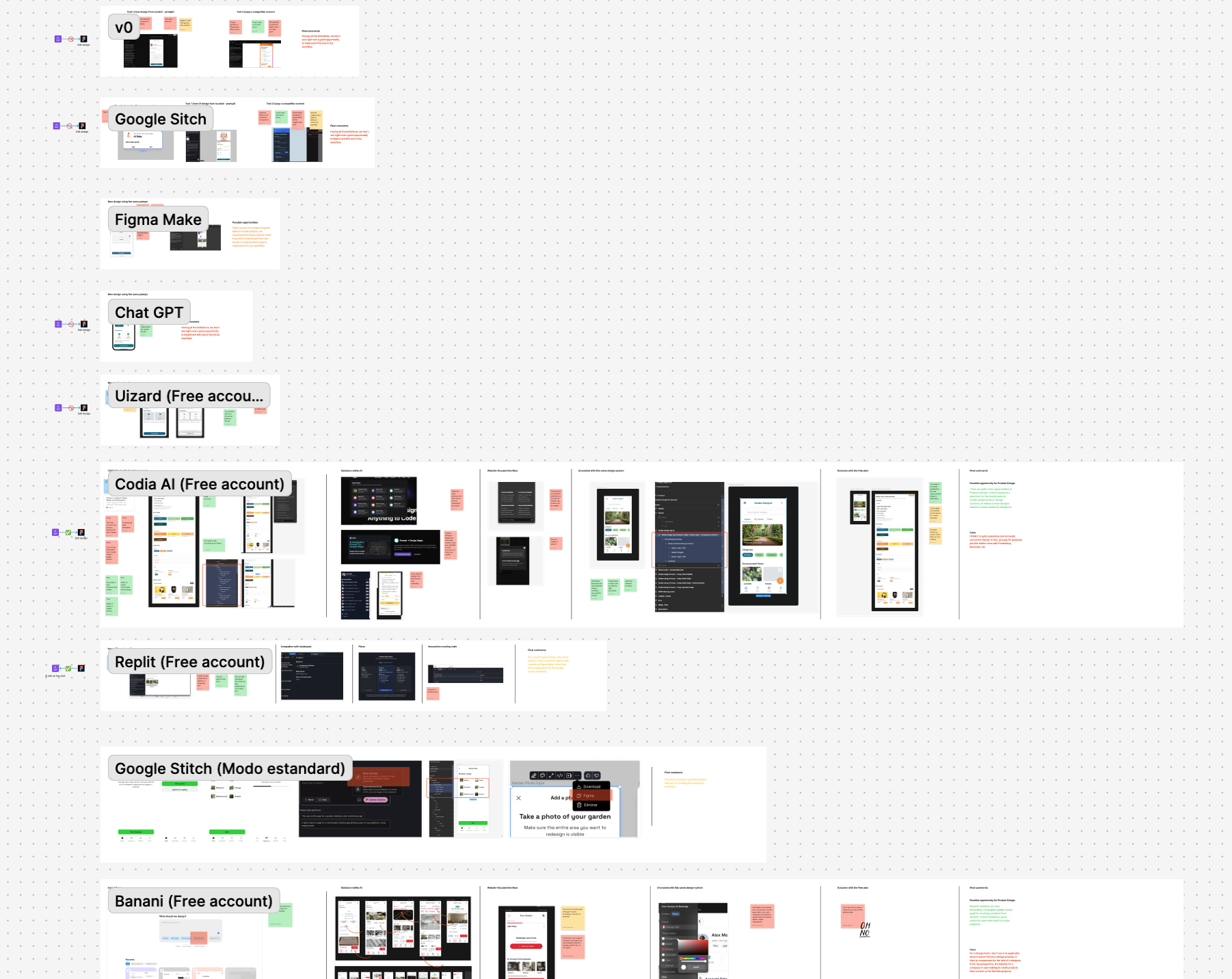
Comparison of AI design and prototyping tools tested by the teamSee preview

That was an important lesson: a new AI tool doesn’t automatically solve an existing workflow problem.

The tools will continue to change, though. We’ve learned not to become too attached to a specific workflow or technology. What matters is having enough flexibility to keep testing and adapting.

Designing the context AI needs

As we experimented more, another problem became obvious: the quality of the output depends heavily on the quality of the context we give the AI.

A generic model doesn’t know our products, our components, our design decisions or the rules behind our interfaces.

So part of my work shifted from simply testing AI tools to building the context around them.

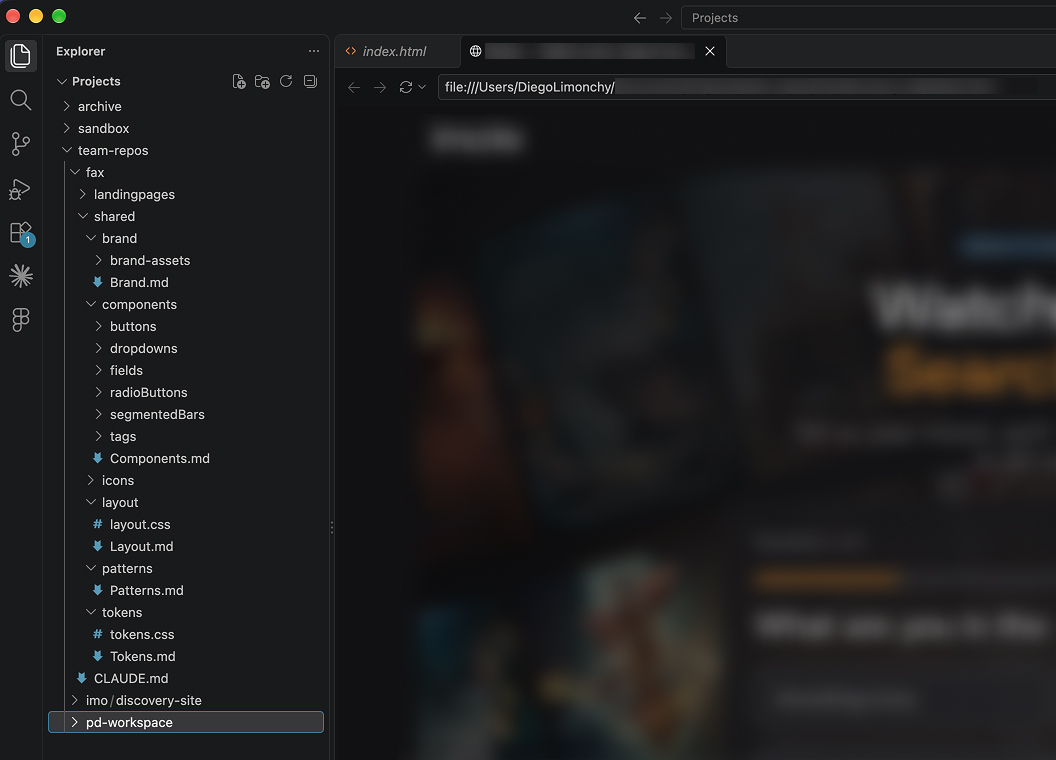
I’ve been creating .md files and structured context folders for different projects, documenting things such as product rules, components, patterns and relevant design decisions. This gives AI a much better understanding of the environment it is working within.

The design system as AI infrastructure

Our design systems have become particularly important in this process.

Tokens, spacing rules, components and interaction patterns are no longer only documentation for designers and developers. They can also become structured knowledge that AI can use when generating and modifying interfaces.

This has made the design system an increasingly important foundation for AI assisted and agentic design workflows.

The better the system is documented and structured, the less the AI has to guess.

Project context folder in VS Code with .md files for brand, components, layout, patterns and tokensSee preview

Building tools for the designers, not just using them

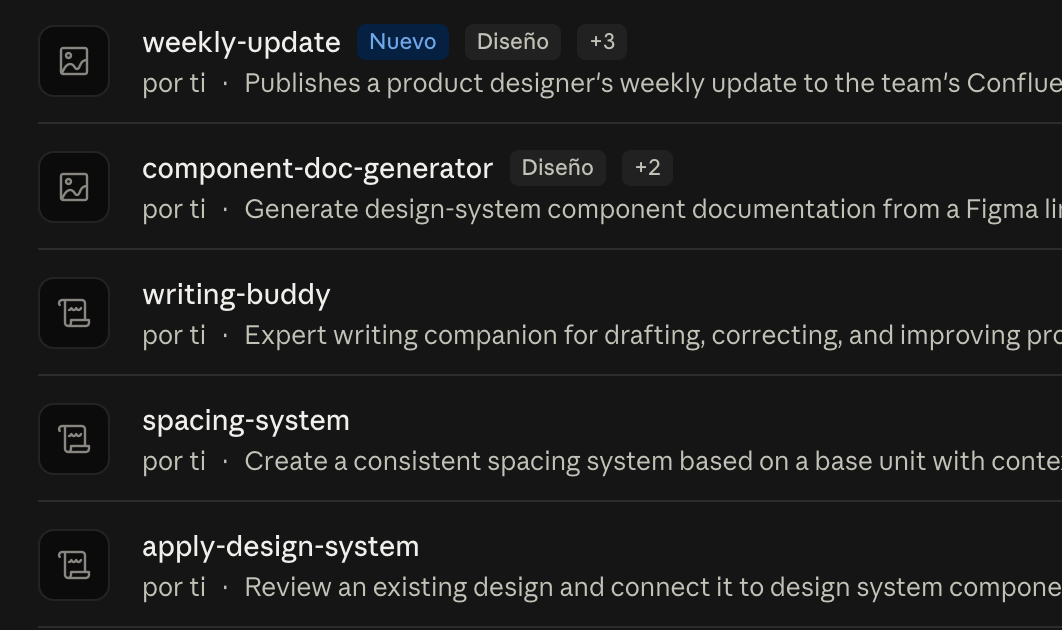
I also started creating Claude Skills to make some of these workflows faster and more consistent.

For example, I created Skills to help document component behaviour or to give Claude a better understanding of our design rules, including tokens and spacing.

Instead of asking designers to repeatedly explain the same context in every experiment, we could encode some of that knowledge into reusable instructions.

This created another layer in our workflow:

Design knowledge → structured context → AI Skill → faster and more consistent output

List of custom Claude Skills created for the design teamSee preview

The goal wasn’t to automate design decisions.

It was to reduce the repetitive work required to communicate the rules behind those decisions.

The layers we built

Enablement · Guides
Help designers step into new environments.
Acceleration · Claude Skills
Reduce repetitive work and improve consistency.
Context · .md files & project folders
Give AI product-specific knowledge.
Foundation · Design system
Provide rules, components and a shared language.

Adoption is a design problem too

Not everyone approaches these changes in the same way.

Some designers were excited about what AI could make possible. Others felt more uncertain about how quickly the profession was changing. And some were interested in experimenting with code, but felt intimidated by things like GitHub, repositories or VS Code.

This made something clear to me:

Building a workflow and getting a team to adopt it are two different problems.

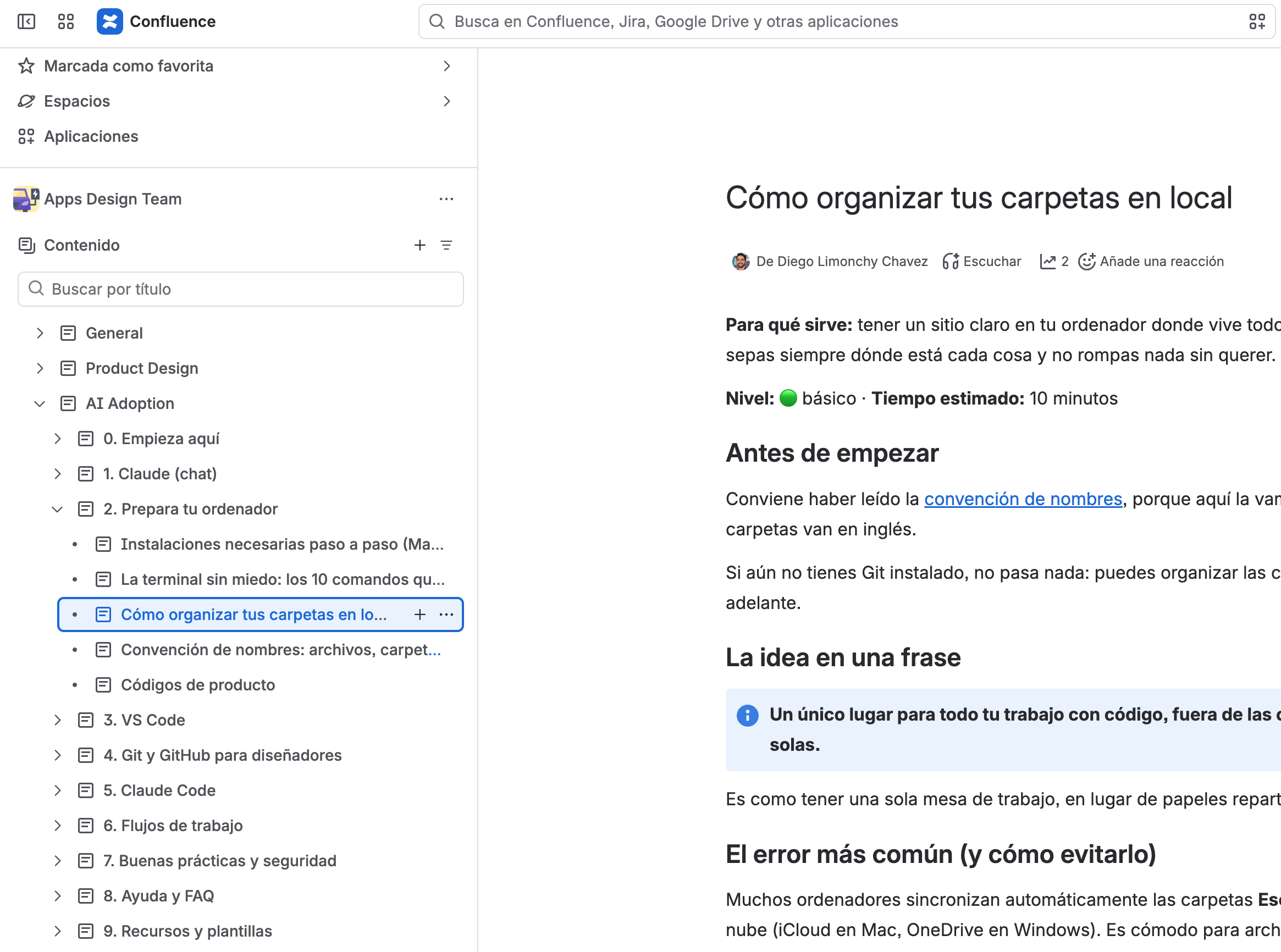
I started creating practical guides to reduce that initial friction. They explain concepts from the basics, such as what a repository is and how GitHub works, through to more practical workflows like using VS Code, creating HTML prototypes and sharing code based artefacts with engineering.

Confluence space with step-by-step AI adoption guides for the design teamSee preview

The goal wasn’t to turn designers into developers.

It was to make the first step less intimidating and give people enough confidence to experiment.

Making space for experimentation

One of the hardest parts of this initiative has been time.

AI experimentation is rarely the most urgent task in a product team’s week. There are releases, research, design work, stakeholder conversations and unexpected problems that always come first.

We couldn’t wait for a moment when everything else was finished.

Instead, I had to find small opportunities within our existing rhythm: testing something with one designer, using a real product problem as an experiment, spending some time with a developer to understand a technical constraint, or sharing a new workflow with the team.

The same applies when working with other departments. Engineering, product and other teams have their own priorities and constraints, so alignment often meant finding small moments during the week to ask a question, show an experiment or get feedback.

Experimentation had to fit into the organisation, not happen outside of it.

Alignment became part of the workflow

As more people started experimenting, keeping the team aligned became increasingly important.

I wanted the process to be visible: what we were testing, what worked, what didn’t and what we had decided not to pursue.

We shared successful experiments, but also discarded approaches and the reasons behind those decisions.

That helped create a shared understanding of where we were going without making every new experiment feel like a new mandatory process.

Instead of saying:

“This is how we’re going to work now.”

The conversation became:

“This is what we’ve tried. This is what we learned. This is what we’re exploring next.”

That shift helped make experimentation a team activity rather than something imposed on the team.

From screens to working artefacts

The biggest change has been in what we consider a design output.

Six to eight months ago, creating a navigable prototype could require enough time that it wasn’t always worth doing. Today, working prototypes have become a much more natural part of our process.

Instead of only sharing static screens in Figma, designers can explore ideas through functional prototypes that communicate interaction and behaviour much earlier.

Our handoff is changing too

Design doesn’t necessarily end in Figma anymore. Designers can now share code based artefacts that help engineering understand and reproduce an experience much more directly.

In some of the workflows we’ve changed, we’ve roughly cut in half the time needed to produce flows and screens.

But the most valuable change isn’t simply speed.

Designers are gaining a better understanding of how things are built, while engineering receives artefacts that are closer to the final implementation. The conversation between the two disciplines becomes more concrete much earlier in the process.

What changed

The most important outcome isn’t that our designers now use AI.

It’s that the boundaries of our design workflow have become wider.

Faster exploration
Some flows and screens now take roughly half the time to produce.
More working prototypes
Functional prototypes have become a normal part of the design process rather than an expensive extra.
A different handoff
Code based artefacts can complement Figma and provide engineering with a much more direct representation of the intended experience.
More technical confidence
Designers have increased their understanding of code and development environments, making collaboration with engineering more fluid.
A richer design context
Our design system, project documentation, Skills and structured context are becoming part of the infrastructure that allows AI to work more accurately with our products.

And perhaps most importantly, the team has become more comfortable experimenting with what comes next.

Conclusions

What I learned

AI adoption in a design team isn’t primarily a tooling problem.

It’s a workflow problem, a learning problem, a knowledge problem and a people problem.

The technology gives designers capabilities that would have been difficult to access a few years ago. But turning those capabilities into something useful requires judgement, experimentation and the willingness to discard approaches that don’t work.

It also requires leadership: creating the space to experiment, connecting people across disciplines, communicating what is being learned and helping the team navigate uncertainty.

I’ve also learned that design systems become even more valuable in an AI driven workflow. They are not only a shared language between designers and developers. They can become part of the context that allows AI to understand how a product should behave and look.

We didn’t set out to turn designers into developers.

We wanted to give designers more ways to think, explore and communicate.

Writing

Notes on design, management & craft

{{ a.title }} {{ a.date }} · {{ a.read }}
What changes when you start leading design leaders Jul 2026 · Read time? TBD In progress
WRITING · APR 2026 · 5 MIN READ

Staying hands-on as a design manager

Companies need design leaders who still design. That’s something I feel strongly about, and I think it connects directly to the shift AI has brought to the role of product designer over the past few years. Designers are no longer expected to just design screens and flows in Figma. Now it’s also about analyzing business data, submitting a pull request, using agents to handle manual work. The bar for what “designing” means has moved, and design leaders need to be close enough to the work to actually understand that shift, not just manage around it.

This applies to any manager or lead in charge of product designers, not just people making a specific jump in title. It’s tempting to think that leading a team means stepping back, letting the team handle execution while you handle “strategy.” But from what I’ve seen, that distance has a real cost.

Why it matters

There isn’t much room left for managers who only manage. Teams need to do more with less, and designers want to be inspired by the people leading them, not just directed. When a design leader can’t design, the team notices. And it shows in the work.

I’ve seen middle management layers collapse when this happens. Not because those managers weren’t organized or good at their jobs, but because they stopped being useful in the room where design decisions actually get made. In my opinion, companies don’t want professional managers who happen to oversee designers. They want great designers who happen to manage: people who can inspire their team to do better work, and who can walk into a leadership meeting and show, through the work itself, how design moves the business forward.

The chef in the kitchen

The best way I’ve found to explain this is through kitchens. Think about how the best restaurants work. The chef is always in the kitchen. Not cooking every single dish, not hovering over every station, but present. They taste, they adjust, they call out what needs to change, and they do it while the line is moving, not after the plates go out. It’s guidance in real time, not a review meeting.

That’s what staying hands-on looks like to me. The chef doesn’t take over a cook’s station just because they can do it better or faster. They correct, and they do it constructively, but they leave room for the cook to actually cook. That’s the balance: close enough to shape the outcome, far enough back that people still own their work.

Where it stops scaling

There’s also a limit to how far this scales. Staying this close to the work only really holds up to a certain team size. Once a team grows past 10 or 12 people, you start needing other roles to help lead and carry the vision forward. At that point, one person being hands-on with everyone isn’t realistic anymore, and the structure itself has to change.

Hands-on, not micromanaging

This isn’t about micromanaging. Staying hands-on doesn’t mean redlining every screen or overriding your team’s decisions. It means staying close enough to the craft that your input still means something, and far enough back that the people doing the work still feel like it’s theirs. I think that’s what separates a design leader people want to follow from one they just report to.

WRITING · MAY 2026 · 4 MIN READ

Design is only half the job

For the first few years of my design career, I didn’t give this much thought. I believed designs should “speak for themselves.” If the solution was strong enough, it would defend itself in any room.

I couldn’t have been more wrong.

Over time, I’ve come to see that a huge part of a product designer’s job is communication. The rest is a mix of collaboration, alignment, visual and UX skills, and business sense — all of which depend, to some extent, on how well we communicate.

For me, the real turning point came when I started managing people. It was almost a reality check: I realized that if I couldn’t communicate well, my impact was going to be limited, no matter how strong my design judgment was. It wasn’t enough to have good ideas in my head. I had to be able to share them, defend them, and help others on the team do the same.

The storytelling gap

I’ve seen designers who are brilliant at execution struggle when it’s time to make their case in a presentation or a meeting. It’s not a talent problem. It’s a practice problem.

Designers aren’t really taught storytelling, while in other business roles, it’s a skill people often develop from the beginning of their careers. When you can’t structure your argument or connect your proposal to what your audience cares about, your idea shows up weaker than it should — even when it’s technically the best one on the table.

This gap becomes even more obvious in product design. Talking about flows, components, or usability principles is no longer enough. You need to sit with product managers, data teams, and business stakeholders, and explain how your proposal can move retention, conversion, or a specific product metric.

When we can’t translate design into that language, our ideas can end up outside the conversations that actually matter.

How you say it, and where

Part of the craft is adjusting your communication to who’s in front of you. Talking to another IC is not the same as talking to a director, a CPO, or a CEO.

Executives rarely want 20 minutes of context before getting to the point. They want to know, in the first minute, what problem you’re trying to solve, what impact it has, and what you’re proposing. The window you get with these profiles is often small, and the moment you start looping or spending time on unnecessary details, you risk losing them.

Learning to adjust your message and your delivery is an art. It takes practice, and it takes putting yourself in those rooms over and over again.

The same applies to writing, which has become increasingly important over the last few years. In remote teams, many decisions happen inside a document, a Slack thread, or the comments on a Figma file. Many designers are strong in person but struggle to bring that same clarity to the page, and that’s where a lot can get lost.

A well-written design document can move a decision as much as a full meeting, sometimes even more, because it stays.

Still learning

Don’t get me wrong. I’m not writing this from the perspective of some incredible speaker with impressive presentation skills. Not even close.

I’m still learning and practicing this craft, and I know I have a long way to go to really sharpen it. What changed for me was simply realizing how important it is.

Now I carry that awareness with me. It works as a kind of self-check that keeps pushing me to communicate more clearly, adapt to the room, and get better at it.

WRITING · MAR 2026 · 7 MIN READ

I thought we needed UX research

During 2022, I had a pretty clear idea in my head: we needed to get better at understanding our users.

At the time, I was responsible for one design team and had regular conversations with people in Product, managers, and other leaders. There was quite a lot of agreement that we needed to understand our users better. But when it came to the question of how to do that, there wasn’t really a clear answer.

So I decided to do something about it.

The company was growing, and I had some room to propose new hires. We started looking for UX Research profiles and, over time, ended up having two people dedicated to the discipline. I even proposed creating a UX Research Team Lead role to give the new team some direction and structure.

At the time, I thought we were doing the right thing. And for a while, it seemed like we were.

When everything seems to be working

For a good part of 2022, things went pretty well.

We started shaping the discipline, defining how we wanted to work, what kind of research we should do, and how it could fit into our existing processes. Over time, we tried to standardize the way Research worked, give it more structure, and make it easier for Product and Design teams to rely on it.

We were also lucky to have a Product leadership profile who strongly believed in the discipline and supported us. That made us think that this could have a real future.

And perhaps that was the moment when I was most convinced we were going to make it work. But little by little, the friction started to show.

The problem wasn’t doing Research

As time went by, we started noticing something that kept happening. Research was being done, but it wasn’t always being used.

We didn’t have an exact metric for this, but the feeling within the team was that maybe only 20–30% of the research projects ended up having a real impact on decisions.

And that was frustrating. For the researchers, because they were investing time and effort into work that often didn’t lead anywhere. For Product and Design teams too, because research also requires time: defining what we wanted to learn, preparing sessions, waiting for results, reviewing them and, most importantly, having enough mental space to actually do something with them.

And that time was almost never available.

The company had a culture that was very focused on shipping, measuring, and learning quickly. The logic was pretty simple:

Ship → measure → learn → iterate.

And it worked.

The problem was that we were trying to introduce another way of working, which in some cases looked more like:

Research → understand → decide → ship.

I don’t think one approach is necessarily better than the other. But I do think it took me too long to understand that we were trying to fit a piece into a system where it didn’t quite fit.

We tried to fix it

This is where I think one of my biggest learnings comes from.

When we realized Research wasn’t working the way we expected, my first reaction was to try to make Research better. So throughout 2022, 2023 and part of 2024, we kept working on it.

We tried to improve the process. We defined structures. We standardized ways of working. We tried to give Research more visibility. We looked for better tools and budget. I had recurring conversations with the Team Lead, trying to find new ways to give the discipline more space.

And sometimes, it felt like we were making progress. But eventually, we kept running into the same friction. There wasn’t enough time. There weren’t enough resources. And, most importantly, there didn’t seem to be a strong enough need within the organization for Research to become a natural part of how we worked.

With fewer resources, research projects also started becoming more superficial and that created a pretty dangerous cycle. If you have little time to research, you do smaller studies. If the studies are smaller or more superficial, it’s harder for them to generate truly relevant insights. If the insights aren’t relevant enough, teams trust Research less.

Maybe I was asking the wrong question

Looking back, I think I spent too long asking myself the wrong question.

I was asking:

“How can we make UX Research work better?”

When perhaps I should have been asking:

“What decisions does this company need to make, and what information does it need to make them better?”

It sounds like a small difference, but I don’t think it is. Because believing that a discipline adds value is one thing. Understanding what role that discipline should actually play within an organization is something very different.

During those years, I was very convinced that understanding our users better was important. And I still believe it is. But today I also understand that not every company needs to do it in the same way.

There are companies where it makes a lot of sense to invest heavily in deep qualitative research. Companies where making the wrong decision is very costly, or where the information you need simply isn’t available in the data. And there are others where you have millions of users, lots of quantitative data, the ability to experiment quickly, and a culture that is heavily focused on shipping and measuring. In those companies, perhaps the balance between data and qualitative research needs to be different.

That doesn’t mean one company is more mature than the other. It means they have different needs.

The moment when we had to make a decision

By the end of 2023 and throughout 2024, the situation had become pretty clear. The Research profiles were becoming increasingly demotivated. Not having the tools or budget they needed, even after asking for them several times, was starting to take its toll.

One of the researchers eventually decided to leave the company because they felt they weren’t making progress and that the situation wasn’t going to change. Meanwhile, the Team Lead was also struggling to manage a team that wasn’t finding enough space to do its job properly.

Then, in early 2025, everything changed. There was a major leadership restructure, and the company’s strategy became even more focused on speed, quality, data, and the use of AI.

And then I had a conversation with my new manager that, although probably inevitable, was difficult to hear. He said: “Diego, we need to decide what we’re going to do with UX Research. I need a solution.”

After so many years of trying to make it work, the solution ended up being to dissolve the team. One of the researchers left the company, and the Team Lead moved to other projects, taking on a role that was also more focused on Product Design.

For me, it was a tough moment. Not just because something I had believed in for years was coming to an end, but because I had been one of the people who had pushed hardest to make it happen in the first place.

That’s when I started to understand a few things

For a while, I thought I had failed because I hadn’t managed to implement UX Research properly. Today, I see it differently. Yes, I made mistakes.

I probably took too long to understand the organization’s real needs. I focused heavily on building the discipline, and not enough on understanding whether that discipline was actually a priority for the business at that particular moment.

I also learned that hiring people isn’t the same as creating the conditions for those people to have an impact. You can have great researchers, a Team Lead, processes, methodologies, and good intentions. But if teams don’t have time to work with them, if there isn’t enough budget to conduct meaningful research, and if the results don’t become part of important decisions, it’s very difficult for the discipline to thrive.

And perhaps the biggest lesson for me was this: you can’t introduce a new discipline into an organization simply because you believe the organization needs it. First, you need to understand how that organization works. How it makes decisions. What information it relies on. Where it has uncertainty. What the cost of being wrong is. How fast it needs to move. And what kind of knowledge it’s actually willing and able to incorporate.

Would I do it again?

I think I would. But I wouldn’t do it the same way. I would still advocate for the importance of understanding users. I’d probably still look for ways to bring Research into the organization somehow.

But before hiring anyone, I would ask many more questions. I’d try to understand what problems we’re actually trying to solve. What decisions we want to improve. What kind of research we really need. Who is going to use the findings. And, most importantly, whether the organization is ready to do something with what we discover.

Because perhaps that was my biggest mistake. I thought the challenge was building UX Research. Now I think the challenge was much bigger: creating the conditions for UX Research to be useful. And those two things are not the same.

Today, I don’t look back at those years as wasted time. It was an initiative that ultimately couldn’t survive within the organization. But it was also one of the experiences that taught me the most about leadership, culture, strategy, and, above all, how difficult it is to change the way a company makes decisions.

Sometimes leadership isn’t about making something survive. Sometimes it’s about knowing when it’s no longer worth pushing. And I think that’s part of doing our job well, too.
COLOPHON
About this site

how this portfolio is built, what I believe about design, and whatever else I feel like writing down.
Typography
Set in Jersey 25 for display and Kode Mono for everything else. A monochrome, pixel-leaning system built around dotted rules and hard edges.
Made with
Figma, Claude code, Github for repository and hosting in Vercel. Open source UI sounds. Hand-built layout, two themes, and a few (a lot) interactions and iterations.
Bookshelf 2026
Fuegos artificiales — Paul PenTo read
Al lado de la carretera — Paul PenOngoing
El brillo de las luciérnagas — Paul PenDone
El buen padre — Santiago DíazDone
La escritora — J.D. Barker & James PattersonDone
La chica del lago — Mikel SantiagoDone
Mentira — Juan Gómez-JuradoDone
Last Updated
10th October 2026
Theme
Sound
CV PDF
LinkedIn
Email Email copied to clipboard
Colophon
{{ lightboxAlt }}